


Introduction
In the modern business landscape, clarity is currency. Organizations often struggle with a disconnect between strategic goals and operational execution, frequently caused by ambiguous documentation or overly technical specifications that alienate non-technical stakeholders. Business Process Model and Notation (BPMN) solves this problem by providing a universal visual language for business analysis and workflow specification. As an open standard maintained by the Object Management Group (OMG), BPMN offers an intuitive graphical representation that bridges the communication gap between business users, analysts, software developers, and data architects.
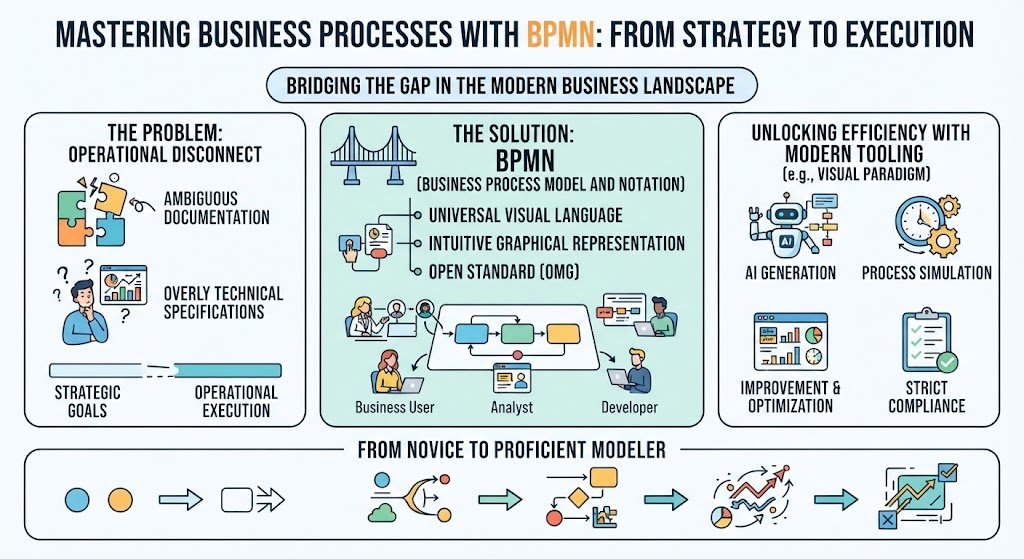
For beginners, mastering BPMN is not just about learning symbols; it is about acquiring a structured way to think about organizational efficiency. This guide explores the fundamental concepts of BPMN 2.0, illustrates them through practical examples, and demonstrates how leveraging a unified platform like Visual Paradigm can accelerate the journey from novice to proficient process modeler. By combining strict standard compliance with advanced features such as AI generation and process simulation, modern tooling transforms BPMN from a static diagramming exercise into a dynamic engine for business improvement.
History and Evolution of the Standard
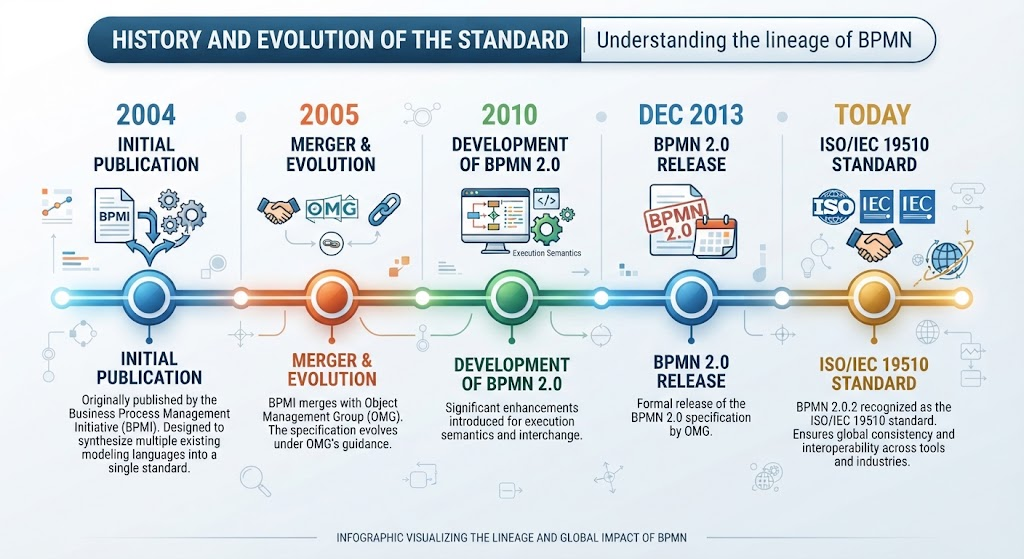
Understanding the lineage of BPMN helps appreciate its robustness. Originally published by the Business Process Management Initiative (BPMI) in 2004, the notation was designed to synthesize multiple existing modeling languages into a single standard. Following the merger of BPMI and OMG in 2005, the specification has evolved significantly. Version 2.0, developed in 2010 and released in December 2013, introduced critical enhancements for execution semantics. Today, the latest version (BPMN 2.0.2) is formally recognized as the ISO/IEC 19510 standard, ensuring global consistency and interoperability across different tools and industries.
Core Benefits of Adopting BPMN
Adopting BPMN provides immediate value to organizations by establishing a clear, consistent method for capturing processes. Key benefits include:
-
Universal Understanding: It provides a standard notation readily understandable by all stakeholders, eliminating ambiguity.
-
Communication Bridge: It effectively closes the gap between business process design and technical implementation.
-
Industry Standard: Being an OMG and ISO standard ensures long-term viability and compatibility.
-
Simplicity and Power: The notation is simple enough for beginners to learn quickly yet powerful enough to depict complex enterprise workflows.
-
Stakeholder Engagement: Clear visuals ensure process owners and users are actively involved in analysis and improvement.
Fundamental BPMN Constructs
BPMN classifies graphic elements into five basic categories. Mastering these constructs is essential for creating accurate and readable diagrams.
Swimlanes: Organizing Responsibility
Swimlanes are rectangular containers that represent participants in a process. They organize activities visually to show who does what. There are two primary types: Pools and Lanes.

Pools represent major participants, such as a specific department, external vendor, or customer role. A special type of pool is the Blackbox Pool, which represents an entity whose internal workings are irrelevant to the current process scope. For example, if modeling a chef’s meal preparation, the “Customer” pool might be a blackbox because their internal decision-making doesn’t impact the kitchen’s workflow.

Lanes are sub-partitions within a pool used to categorize activities by role or function (e.g., “Department Head” vs. “General Clerk”). While lanes can be nested, best practice dictates using them strictly for process flow rather than replicating organizational charts.
Flow Elements: The Heartbeat of the Process
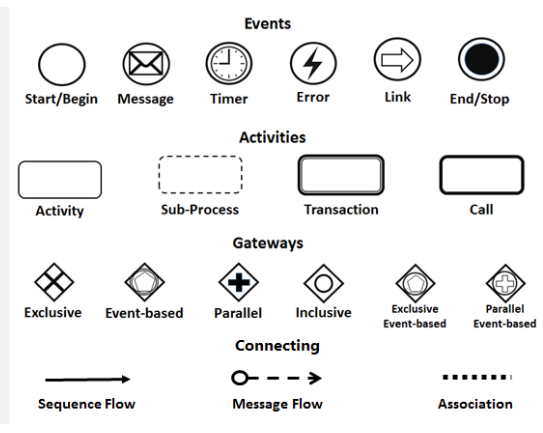
Flow elements define the behavior of a business process. They are categorized into Events, Activities, and Gateways.

Activities
Activities represent work performed within a process, depicted as rounded rectangles.
-
Task: An atomic unit of work that cannot be broken down further within the current model scope.
-
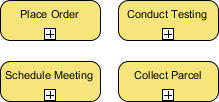
Sub-Process: A compound activity that can be expanded to reveal lower-level details. This is crucial for managing complexity without cluttering high-level views.

Events
Events are circles representing something that happens during the process lifecycle.
-
Start Event: Marks the beginning of a process instance.
-
Intermediate Event: Occurs between start and end, often triggering changes or waiting states (e.g., timer, message).
-
End Event: Indicates where a process path concludes.

Gateways
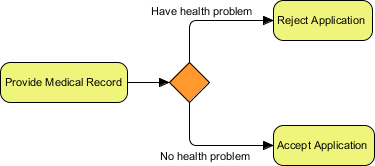
Gateways (diamonds) control the divergence and convergence of flow based on conditions or events.
-
Exclusive Gateway: Evaluates data-based conditions; only one outgoing path is taken.
-
Inclusive Gateway: Allows multiple paths to be taken simultaneously if their respective conditions are met.
-
Parallel Gateway: Synchronizes or forks flows unconditionally; all paths execute at once.
-
Event-Based Gateway: Routes flow based on which event occurs first (e.g., receiving a “Yes” reply vs. a timeout).


Connecting Objects and Data
Elements do not exist in isolation; they must be connected to form a coherent narrative.

-
Sequence Flow: Solid lines with arrows showing the order of execution within a pool.
-
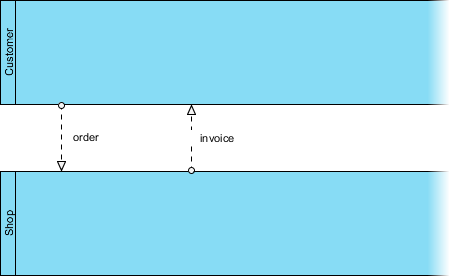
Message Flow: Dotted lines with arrows showing communication between pools. Never use sequence flows to connect separate pools.

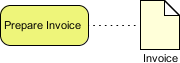
Data objects represent information created or consumed during execution, such as invoices, purchase orders, or database records. Properly modeling data inputs, outputs, and stores is vital for understanding information flow alongside control flow.

Artifacts: Groups and Annotations
To enhance readability without altering semantics, BPMN includes artifacts. Groups (dotted boxes) visually cluster related elements, while Text Annotations provide explanatory notes linked to specific objects.


Practical Application: True Aqua Distilled Water Case Study
Theory becomes tangible when applied to real-world scenarios. Consider the “True Aqua Distilled Water Company,” which aimed to increase market share by optimizing its ordering process. The following diagram captures their improved workflow:
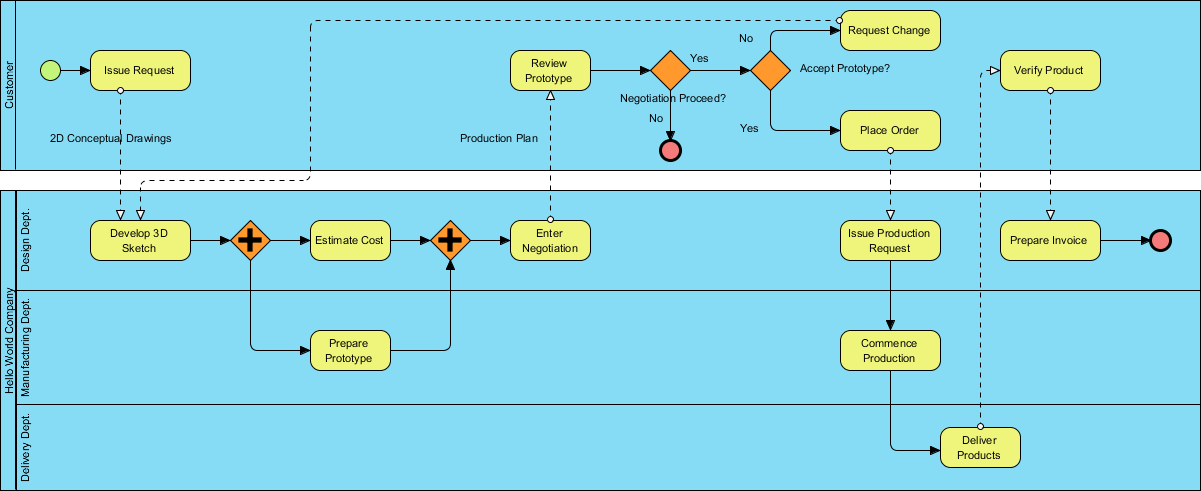

In this model, customers initiate orders via phone (90%) or email (10%). The Customer Service Assistant checks customer status; new customers trigger an account creation task. Orders are batched weekly for the Logistics Department, where managers assign workers and print schedules. This diagram clearly delineates responsibilities across pools, uses gateways to handle new vs. existing customer logic, and employs message flows to show inter-departmental handoffs. Such clarity enables stakeholders to identify bottlenecks and validate improvements before implementation.
Accelerating Mastery with Visual Paradigm’s Unified Platform
While understanding notation is foundational, professional modeling requires robust tooling. Visual Paradigm offers a unified platform specifically designed to support beginners and experts alike through comprehensive BPMN 2.0 capabilities.
AI-Powered Modeling for Beginners
One of the biggest hurdles for novices is translating mental models into formal diagrams. Visual Paradigm’s AI Text-to-BPMN Generator addresses this by instantly converting plain-text narratives into editable, standards-compliant diagrams. This allows beginners to focus on process logic rather than drag-and-drop mechanics, serving as both a productivity booster and a learning aid.
Managing Complexity with Drill-Down and Simulation
As processes grow, diagrams can become unwieldy. The platform supports Process Drill-Down, allowing users to collapse sub-processes into single shapes or expand them to view child diagrams. Furthermore, Process Simulation enables dynamic validation, calculating KPIs and identifying structural bottlenecks before deployment. This moves modeling beyond static documentation into active analysis.
Bridging Business and IT
Visual Paradigm excels at cross-standard mapping, integrating BPMN natively with UML, ERD, and UI wireframes. Features like Code & Schema Generation transform visual models into development-ready artifacts, while Smart Connectors ensure that sequence, message, and data association flows always adhere to BPMN rules. Combined with cloud collaboration and auto-generated documentation, the platform serves as a single source of truth for entire project lifecycles.
Conclusion
BPMN remains the gold standard for business process modeling because it balances simplicity with expressive power. For beginners, the key to success lies in mastering the five core constructs—swimlanes, flow elements, connecting objects, data, and artifacts—and applying them consistently to real business problems. However, notation alone is insufficient; effective modeling requires tools that enforce standards while reducing cognitive load. Platforms like Visual Paradigm democratize access to professional-grade BPMN through AI assistance, simulation, and integrated ecosystem features. By combining foundational knowledge with modern tooling, organizations can transform opaque workflows into transparent, optimized assets that drive measurable business value.
Recommended Resources on Visual Paradigm
- Professional BPMN Process Modeling Tool: Comprehensive overview of Visual Paradigm’s BPMN 2.0 diagramming and automation capabilities.
- Comprehensive Guide to BPMN Visual Paradigm Tooling, AI, and Ecosystem: In-depth article covering AI features, integration options, and best practices within the platform.
- From Narrative to Diagram: How Visual Paradigm’s AI BPMN Generator Transforms Process Modeling Workflows: Tutorial demonstrating practical use of text-to-diagram AI for rapid process capture.
- Mastering BPMN Data Objects: A Comprehensive Guide to Modeling Information Flow: Detailed guide on configuring data inputs, outputs, and stores correctly in Visual Paradigm.
- Mastering BPMN Flow Types: A Comprehensive Guide for Visual Paradigm Users: Focused resource on distinguishing and properly implementing sequence, message, and association flows.