


Introduction
Business processes rarely happen in a vacuum. Whether it is a customer ordering a product or a company outsourcing a service, success depends on the seamless interaction between different parties. In the world of business analysis, Business Process Model and Notation (BPMN 2.0) is the global standard for visualizing these interactions.
This tutorial uses a relatable scenario—ordering a pizza—to demystify complex BPMN concepts like Pools, Lanes, Event-Based Gateways, and Message Flows. Furthermore, we will explore how modern tools like Visual Paradigm, enhanced with Artificial Intelligence, can help you move from a simple idea to a professional, standards-compliant diagram in minutes.
Part 1: Decoding the Pizza Collaboration Diagram
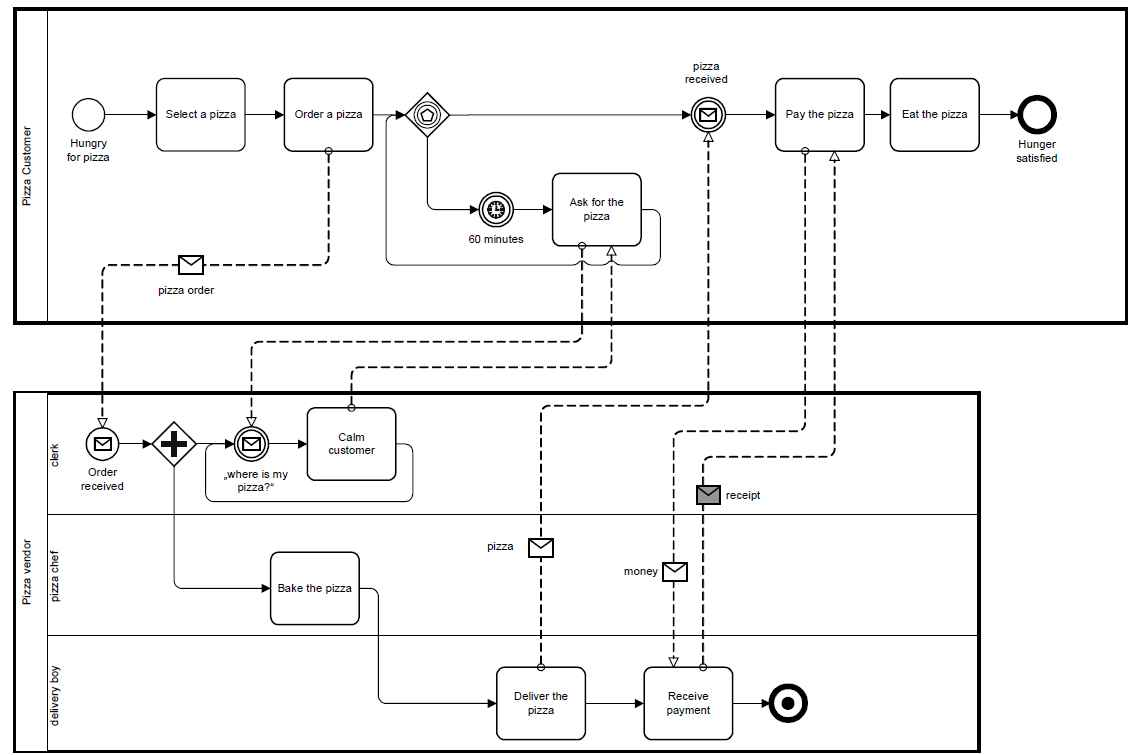
Before we build our own models, let’s analyze the provided “Pizza Ordering” diagram. This is a Collaboration Diagram, which shows how two independent entities interact.
1. The Participants (Pools)
In BPMN, a Pool represents a participant in a process. In our example, there are two distinct pools:
- Pizza Customer: The entity initiating the request.
- Pizza Vendor: The entity fulfilling the request.
Key Rule: Sequence flows (solid arrows) cannot cross pool boundaries. Communication between pools must happen via Message Flows (dashed arrows with open/closed heads)
www.visual-paradigm.com
.
2. Internal Roles (Lanes)
Inside the “Pizza Vendor” pool, the work is divided into Lanes. Lanes represent specific roles or departments within a single organization:
- Clerk: Handles communication and customer service.
- Pizza Chef: Responsible for production (baking).
- Delivery Boy: Responsible for logistics and payment collection.
3. Handling Uncertainty (The Event-Based Gateway)
Look at the Customer pool after the “Order a pizza” task. You see a diamond with a pentagon inside. This is an Event-Based Gateway.
- What it does: It tells the process to “wait and see” which event happens first.
- The Scenario: The customer waits for the pizza. If the Message Event (“pizza received”) happens, they pay and eat. If the Timer Event (“60 minutes”) triggers first, they “Ask for the pizza” and return to waiting [[Article]].
4. Physical Goods as Messages
A unique feature of this model is that the Pizza and the Money are represented as message objects on dashed lines. While usually reserved for data, in organizational modeling, physical goods act as “signals” that a task is complete (e.g., the arrival of the pizza signals the customer to start eating) [[Article]].
Part 2: Key BPMN Concepts for Beginners
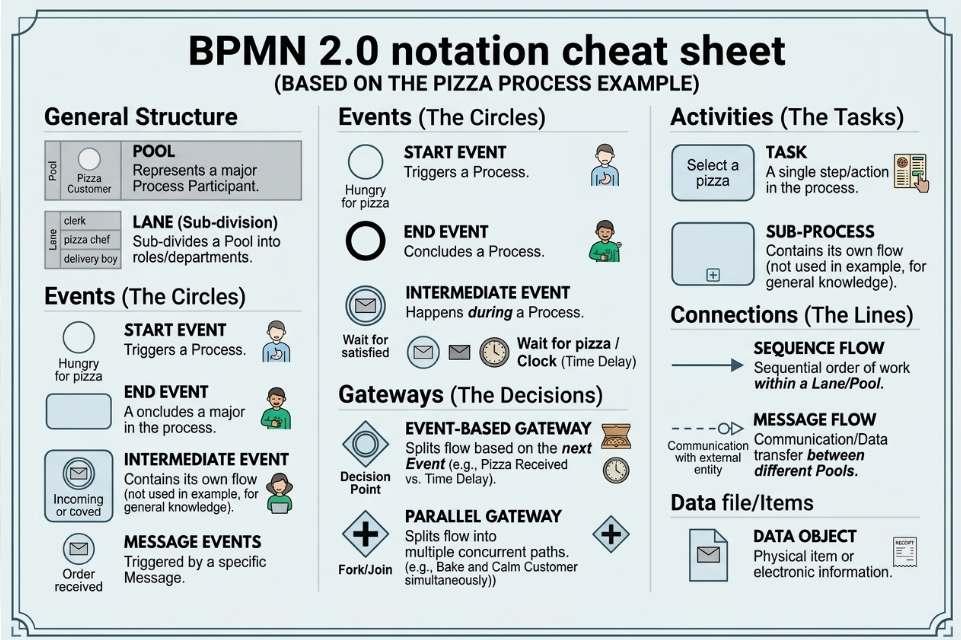
To create diagrams like the one above, you need to master four core categories of BPMN elements
|
Category
|
Element
|
Symbol
|
Description
|
|---|---|---|---|
|
Flow Objects
|
Events
|
Circle
|
Something that happens (Start, Intermediate, End).
|
|
Activities
|
Rounded Rectangle
|
Work being performed (Task or Sub-process).
|
|
|
Gateways
|
Diamond
|
Controls how paths diverge or converge.
|
|
|
Connecting
|
Sequence Flow
|
Solid Arrow
|
Shows the order of execution within a pool.
|
|
Message Flow
|
Dashed Arrow
|
Shows communication between pools.
|
|
|
Swimlanes
|
Pool
|
Large Container
|
Represents an independent business partner.
|
|
Lane
|
Sub-container
|
Represents a role within a partner.
|
|
|
Artifacts
|
Data Object
|
Paper icon
|
Represents information or physical items used/produced.
|
Part 3: Recommended Tooling — Visual Paradigm & AI
For beginners, drawing complex diagrams manually can be intimidating. Visual Paradigm is a leading modeling platform that has integrated advanced AI to bridge the gap between narrative and diagram
www.visual-paradigm.com
.
Why Visual Paradigm?
Visual Paradigm provides a mature ecosystem where AI doesn’t just draw a picture; it creates a fully editable, BPMN 2.0 compliant model that can be refined, documented, and shared
www.visual-paradigm.com
.
Key AI Features for Beginners:
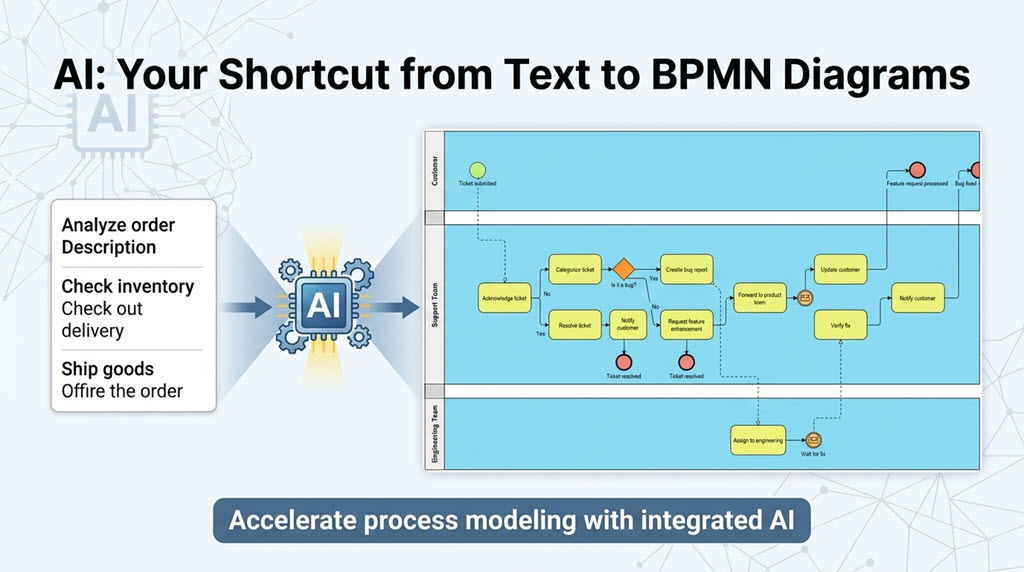
- Text-to-Diagram Generation: You can describe your process in plain English (e.g., “A customer orders pizza, waits 60 minutes, then pays”), and the AI generates the initial flow
www.cybermedian.com
.
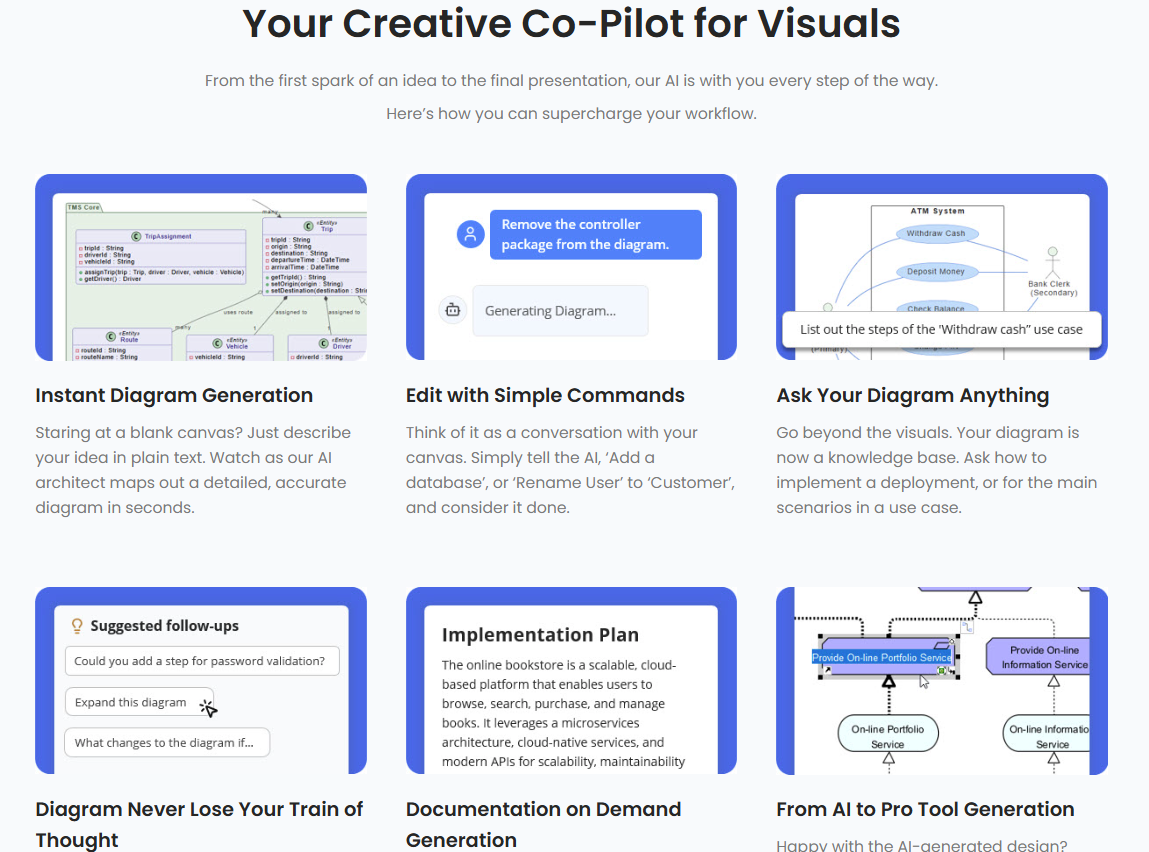
- Conversational Refinement: Using the AI Chatbot, you can ask follow-up questions like “Add a timer event for 60 minutes” or “Split the vendor into three lanes,” and the AI updates the diagram instantly
www.visual-paradigm.com
.
- Automated Layout: The AI ensures your sequence flows and message flows are logically structured and visually balanced, saving you hours of manual alignment
blog.visual-paradigm.com
.
Part 4: Step-by-Step Tutorial — Modeling the Pizza Process
Let’s recreate the pizza scenario using Visual Paradigm’s AI-assisted workflow.
Step 1: Define the Narrative
Open Visual Paradigm and navigate to Tools > AI Diagram Generation
blog.visual-paradigm.com
. Select Business Process Diagram. In the description box, enter the following prompt:
“Create a B2B collaboration for ordering pizza. Participant 1 is the Customer who selects, orders, and waits. If 60 minutes pass, they ask for status. Participant 2 is the Vendor with three lanes: Clerk, Chef, and Delivery Boy. The Clerk receives the order, the Chef bakes, and the Delivery Boy delivers and collects payment.”
Step 2: Generate and Organize Pools
Ensure the “Include Pools and Lanes” option is checked
blog.visual-paradigm.com
. Click OK. The AI will generate two pools.
- Manual Check: Verify that the “Customer” and “Vendor” are separate pools. If they are in one pool, drag them apart to create a B2B collaboration.
Step 3: Implement the Event-Based Gateway
In the Customer pool, locate the point after “Order a pizza.”
- Drag an Event-Based Gateway (diamond with pentagon) from the palette.
- Connect it to a Message Intermediate Event (labeled “Pizza Received”).
- Connect it to a Timer Intermediate Event (labeled “60 Minutes”).
- Create a loop from the Timer to an “Ask for Pizza” task, and back to the Gateway [[Article]].
Step 4: Connect the Collaboration
Use Message Flows (dashed lines) to connect the two pools:
- Order: From Customer’s “Order a pizza” task to Vendor’s “Order Received” start event.
- Inquiry: From Customer’s “Ask for pizza” task to Vendor’s “Where is my pizza?” message event.
- Delivery: From Vendor’s “Deliver the pizza” task to Customer’s “Pizza Received” event.
- Payment: From Customer’s “Pay the pizza” task to Vendor’s “Receive Payment” task.
Step 5: Refine with AI Chatbot
If the layout looks cluttered, use the Visual Paradigm AI Chatbot to refine the logic. You can type: “Ensure the money and pizza are represented as message objects on the flows” . The AI will suggest the appropriate artifacts to represent the physical exchange.
Conclusion
Modeling B2B collaborations like the pizza ordering process requires a clear understanding of how independent entities interact through messages while managing their own internal flows. By mastering Pools, Lanes, and Event-Based Gateways, you can capture complex real-world scenarios involving time-outs and physical deliveries.
With the advent of AI-powered tools like Visual Paradigm, the barrier to entry for professional process modeling has never been lower. By starting with a natural language description and refining the model through conversational AI, beginners can focus less on the mechanics of drawing and more on the logic of the business itself. Whether you are mapping a simple food delivery or a complex supply chain, these foundational skills and modern tools will serve as the backbone of your business analysis journey.

