


Introduction
Traditional Unified Modeling Language (UML) design has long been hindered by the friction of manual drafting. Product managers, architects, and developers often spend more time aligning shapes, drawing connectors, and formatting layouts than they do analyzing system logic. This manual overhead can stifle rapid ideation and create a disconnect between evolving requirements and static documentation.
The integration of Artificial Intelligence into modeling tools marks a paradigm shift. By moving from manual drawing to automated generation and conversational refinement, AI transforms UML from a tedious documentation task into a dynamic brainstorming partner.
This guide explores how AI-driven features accelerate the UML design process, allowing teams to focus on high-level architecture and logical consistency while automation handles the structural heavy lifting.
Key Concept 1: Rapid Ideation via Conversational Generation
The most immediate impact of AI in UML modeling is the ability to generate complex diagrams from plain English descriptions. This “Text-to-Diagram” capability allows stakeholders to bypass the learning curve of specific UML syntax during the initial discovery phase.
How It Works
Instead of dragging and dropping classes or actors, users engage with an AI Diagramming Chatbot. The AI analyzes the natural language input, identifies entities and relationships, and drafts a syntactically correct UML diagram instantly.
Example: Generating an Activity Diagram
User Prompt:
“Create an activity diagram for a user resetting their password. The user enters their email, receives a token, enters the new password twice, and the system validates that they match before updating the database.”
AI Output Logic:
The AI identifies the start node, the action of entering email, the decision point for token validation, the parallel actions of entering passwords, the decision for matching, and the final update action.
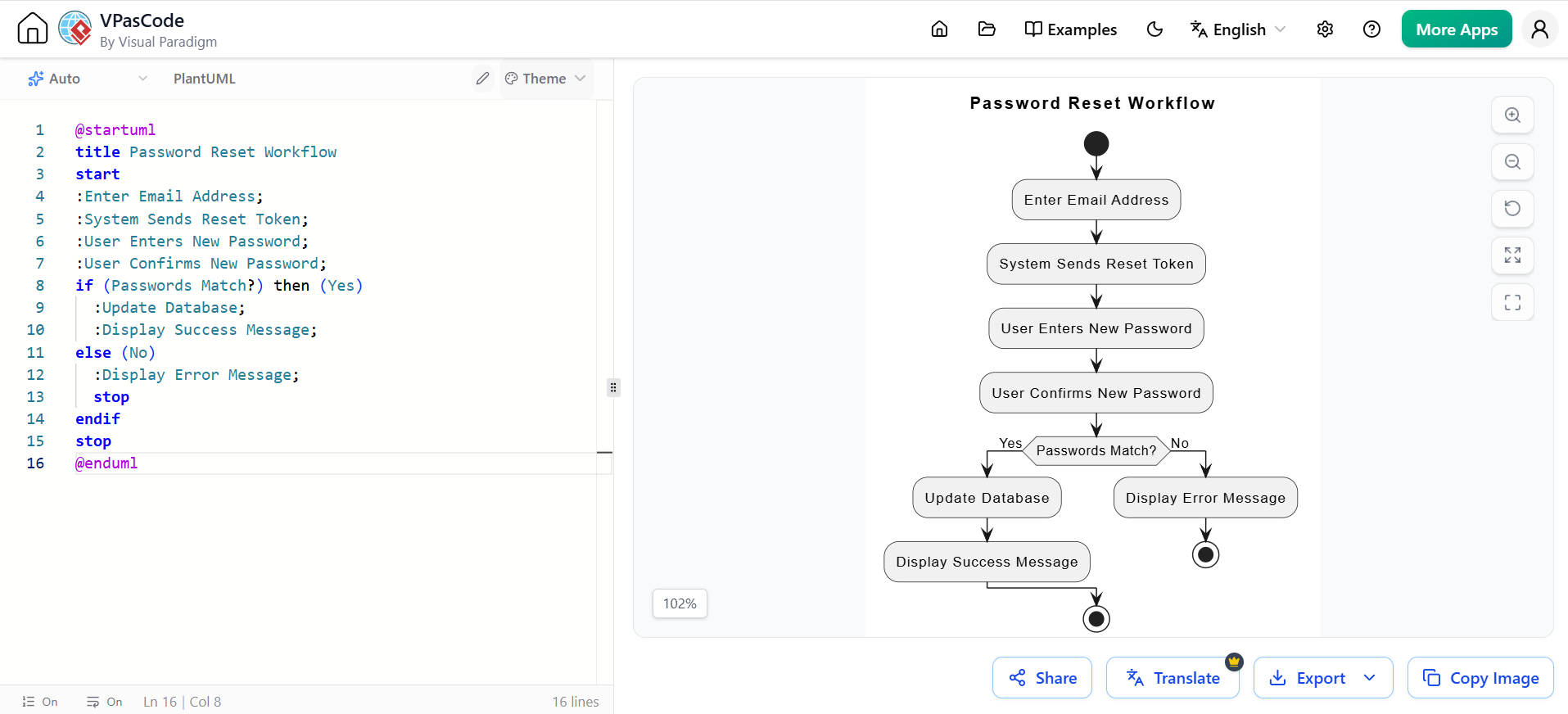
@startuml
title Password Reset Workflow
start
:Enter Email Address;
:System Sends Reset Token;
:User Enters New Password;
:User Confirms New Password;
if (Passwords Match?) then (Yes)
  :Update Database;
  :Display Success Message;
else (No)
  :Display Error Message;
  stop
endif
stop
@enduml
Iterative Refinement
The power lies in the conversation. If the initial draft misses a step, the user can simply say, “Add a step where the system checks if the token has expired,” and the AI will modify the existing diagram rather than starting from scratch.
Key Concept 2: Automated Specialized Modeling Tools
While conversational generation is great for broad strokes, specialized AI tools handle the granular, time-consuming details of specific UML diagram types. These tools ensure consistency and completeness across different views of the system.
1. AI Use Case Description Generator
Use cases often suffer from vague descriptions. AI can automatically document the event flow, preconditions, and post-conditions based on a brief title or summary.
Example:
-
Input: “Use Case: Place Order”
-
AI Generated Flow:
-
User selects items from cart.
-
System calculates total including tax.
-
User selects payment method.
-
System processes payment via gateway.
-
System generates order confirmation ID.
-
2. AI-Assisted Class Diagram Generator
Creating static structure models requires identifying attributes and methods. AI can infer these from functional requirements.
User Prompt:
“Generate a class diagram for a Library Management System with Books, Members, and Loans.”
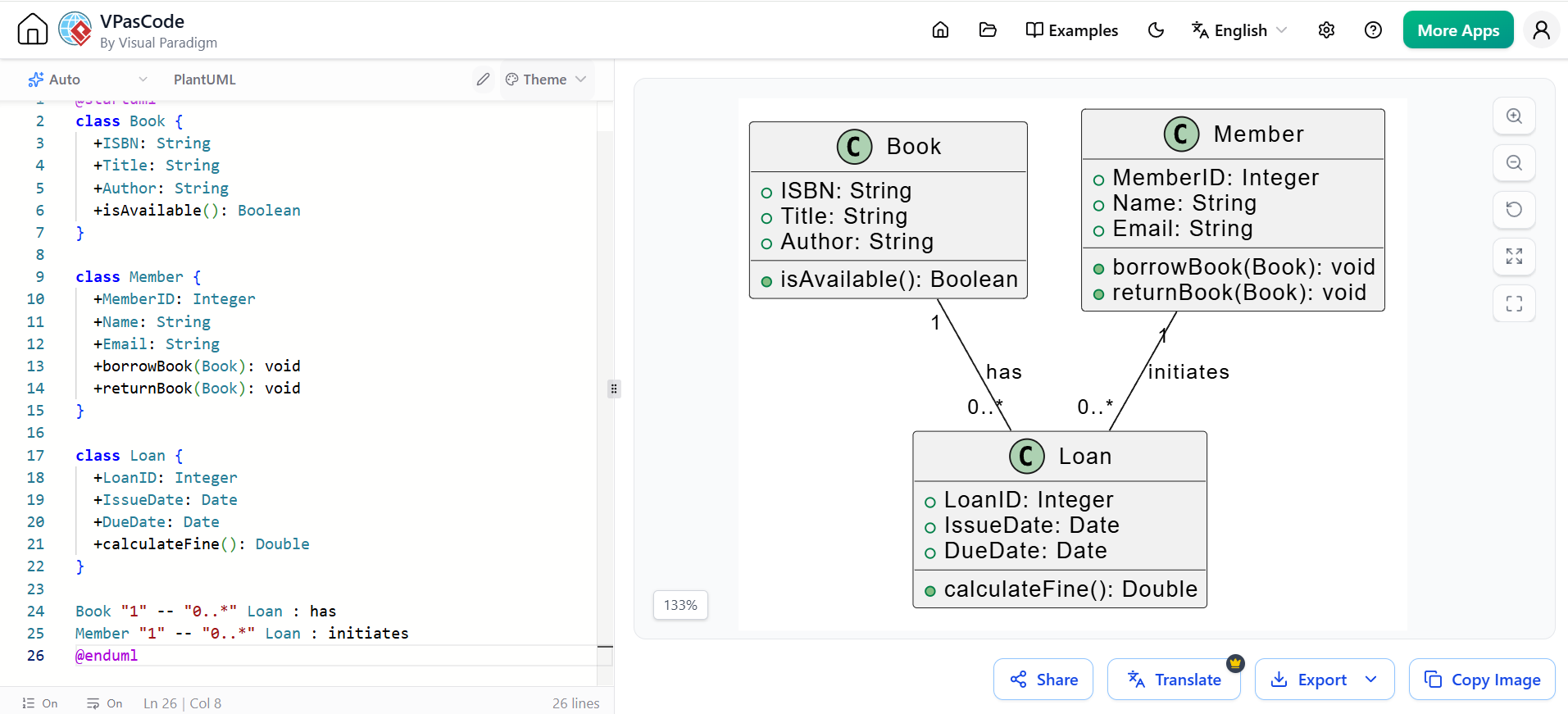
@startuml
class Book {
  +ISBN: String
  +Title: String
  +Author: String
  +isAvailable(): Boolean
}

class Member {
  +MemberID: Integer
  +Name: String
  +Email: String
  +borrowBook(Book): void
  +returnBook(Book): void
}

class Loan {
  +LoanID: Integer
  +IssueDate: Date
  +DueDate: Date
  +calculateFine(): Double
}

Book "1" -- "0..*" Loan : has
Member "1" -- "0..*" Loan : initiates
@enduml
3. Use Case to Activity Diagram Transformation
This feature bridges the gap between functional requirements (what the system does) and behavioral workflows (how it does it). AI automatically translates the steps defined in a Use Case into a visual Activity Diagram, ensuring that the implementation logic aligns with the stated requirements.
Key Concept 3: Guided Workflows and Knowledge Hubs
AI doesn’t just generate diagrams; it guides the user through best practices and maintains a centralized source of truth.
AI WebApps for Step-by-Step Guidance
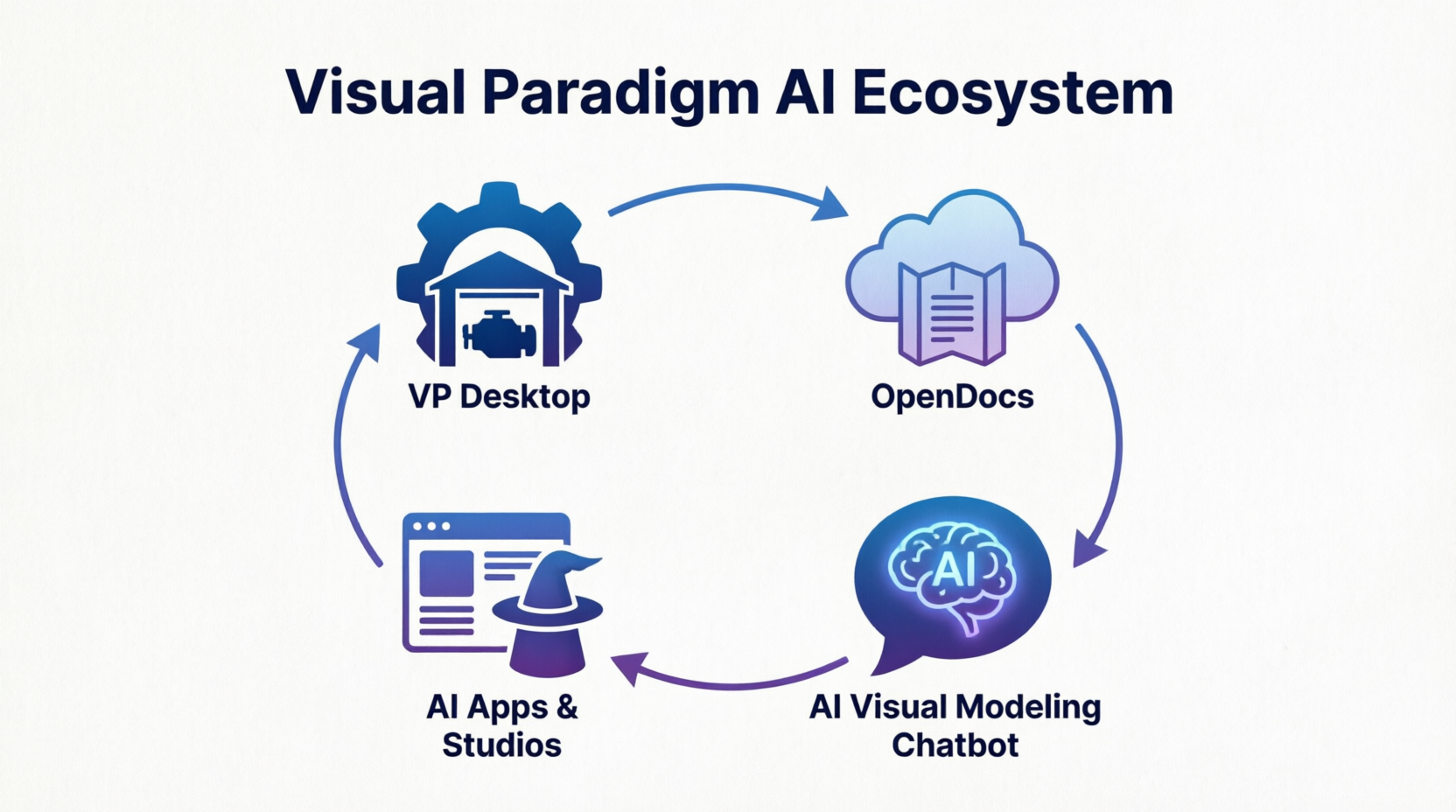
For complex systems, jumping straight into a diagram can be overwhelming. AI WebApps provide intuitive, guided workflows. For example, when designing a microservices architecture, the AI might prompt the user to first define the bounded contexts, then the APIs, and finally the data flows, generating the corresponding Component or Deployment diagrams at each stage.
OpenDocs: The Central Knowledge Hub
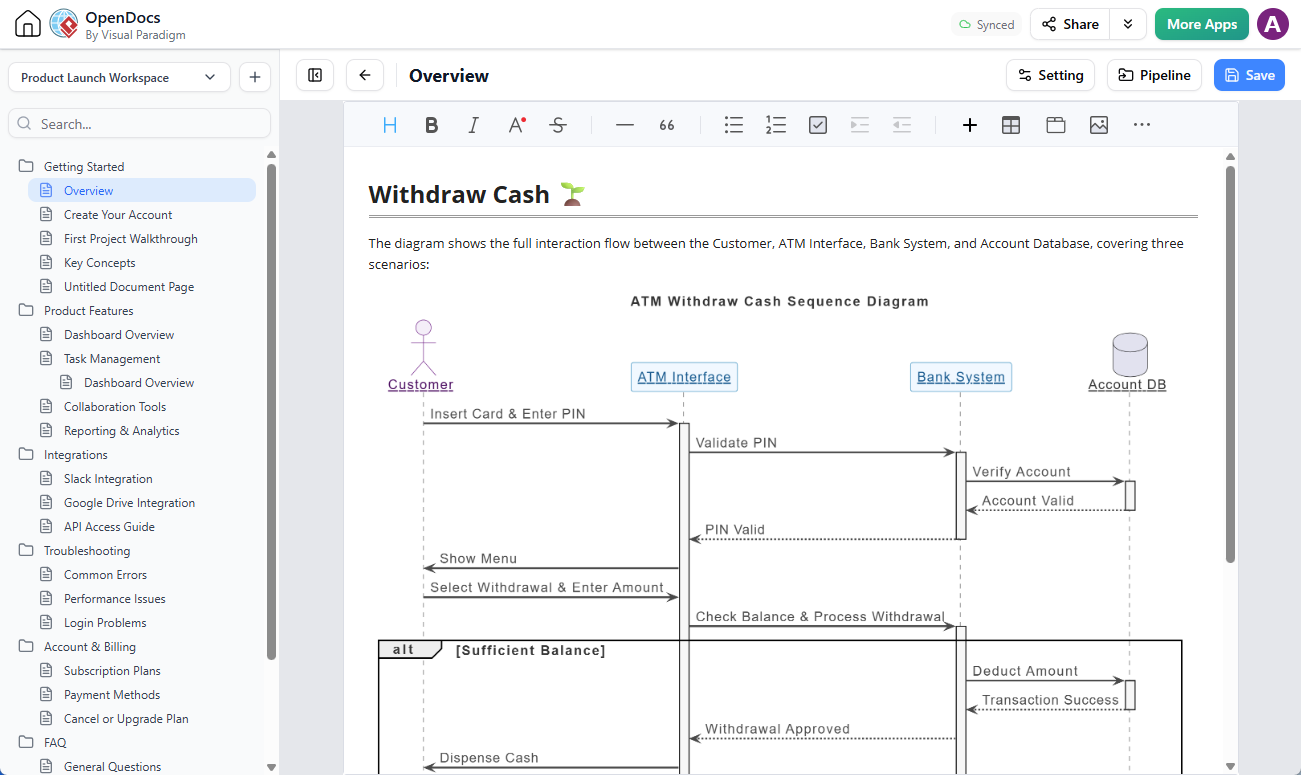
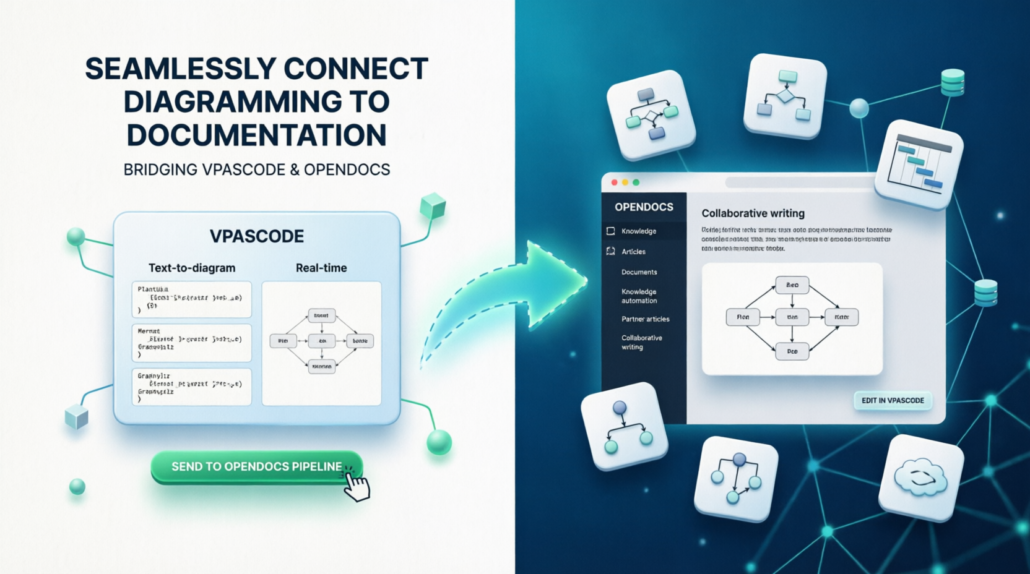
One of the biggest challenges in UML modeling is keeping documentation synchronized with diagrams. OpenDocs serves as an integrated environment where:
-
AI-generated diagrams are stored alongside technical specifications.
-
Changes in the diagram automatically update the linked documentation.
-
Teams can collaborate on both the visual model and the textual description in one place.
Key Concept 4: Seamless Ecosystem Integration
The true acceleration comes from how AI-generated assets integrate into the broader development lifecycle. AI is not a siloed tool; it is a gateway to professional engineering workflows.
One-Click Import to Desktop
Brainstorming often happens in a lightweight, web-based AI chat interface. Once the logic is validated, users can import the diagram directly into Visual Paradigm Desktop with a single click. This allows for:
-
Professional formatting and styling.
-
Detailed specification of attributes and operations.
-
Integration with enterprise repositories.
VPasCode: Edit as Code
For developers who prefer code over GUIs, the VPasCode editor allows rapid adjustments to AI-generated diagrams using text-based definitions. This ensures that the model remains version-control friendly and easily editable by technical team members.
Downstream Automation
Once the AI-assisted diagram is finalized and imported, the platform unlocks further automation:
-
Code Engineering: Generate skeleton source code (Java, C#, Python, etc.) directly from Class Diagrams.
-
Database Generation: Create SQL schemas from Entity-Relationship or Class Diagrams.
Conclusion
The integration of AI into UML modeling represents a significant leap forward in software design efficiency. By shifting the focus from manual drawing to conversational refinement and automated generation, teams can iterate faster, maintain higher consistency, and ensure that documentation remains alive and relevant.
Tools like Visual Paradigm exemplify this evolution by offering a comprehensive ecosystem where AI acts as both a creative partner and a rigorous engineer. From the initial spark of an idea in the AI Chatbot to the final generation of production-ready code, Visual Paradigm ensures that the speed gained through AI does not come at the cost of precision or professionalism. For product managers and architects alike, embracing these AI-driven workflows is no longer just a convenience—it is a strategic advantage in delivering complex systems with clarity and speed.