


Introduction
As a Product Manager with over seven years of experience bridging the gap between engineering teams and business stakeholders, I have always viewed documentation as both a necessity and a pain point. We all know the struggle: engineers build complex systems, but the diagrams explaining those systems often live in static files that become outdated the moment code is merged. The result is “documentation debt”—a knowledge base that no one trusts because it doesn’t reflect reality.
Recently, I had the opportunity to test drive a new workflow from Visual Paradigm that promises to solve this exact problem. By combining VPasCode, a text-to-diagram tool, with OpenDocs, an AI-powered knowledge management platform, they have created a seamless pipeline for “Diagram-as-Code.” This review explores how this integration works, why it matters for cross-functional teams, and how it can transform your technical documentation from a static archive into a living, breathing asset.
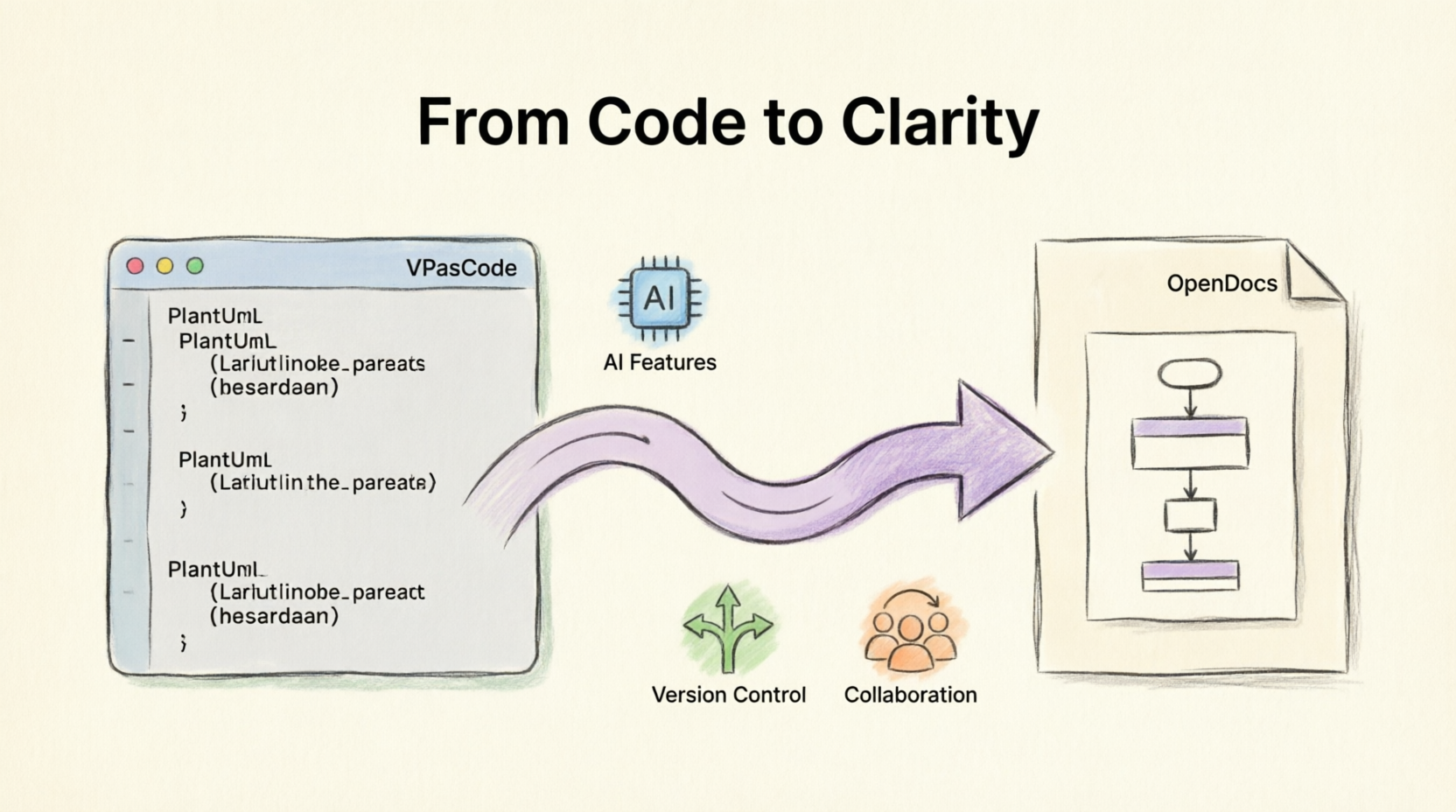
Setup & Tooling: Getting Started
The barrier to entry for most diagramming tools is high—you need to learn proprietary drag-and-drop interfaces or manage heavy desktop installations. VPasCode takes a different approach by leveraging syntax you might already know, such as PlantUML, Mermaid.js, or Graphviz.
To get started, you need access to two key components:
-
VPasCode: This is your canvas for creating visuals using code. It supports real-time previewing, allowing you to see your diagram update as you type.
-
OpenDocs: This serves as the central hub for your team’s knowledge base. It’s where your technical specs, API docs, and product requirements live.
Connecting the Pipeline
One of the most refreshing aspects of this setup is its simplicity. There are no complex API keys to generate or webhooks to configure. The integration is cloud-native and built directly into the Visual Paradigm ecosystem.
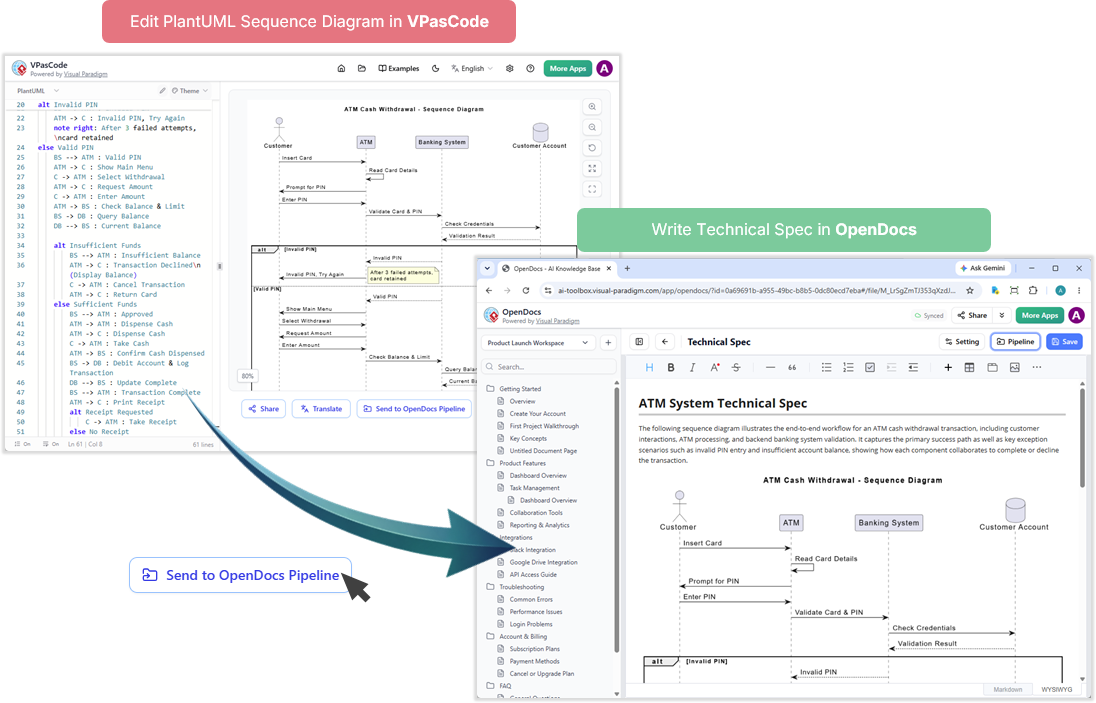
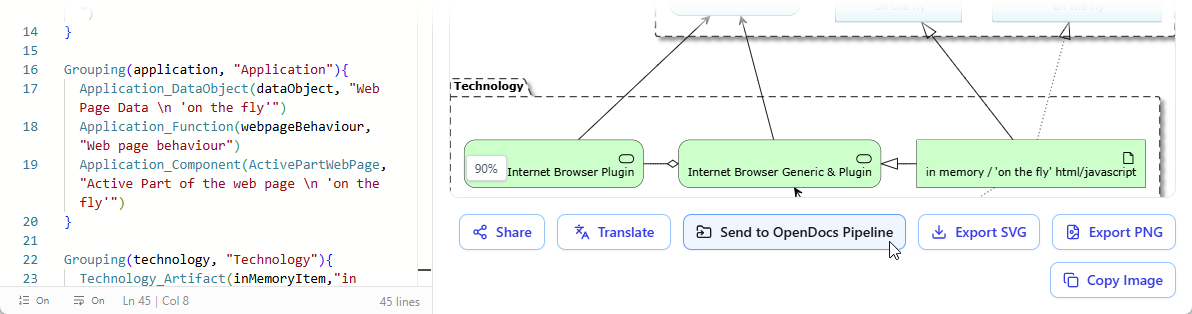
Simply log in to both platforms using the same Visual Paradigm credentials. Once authenticated, the systems recognize each other automatically. When you are ready to share a visual, the “Send to OpenDocs Pipeline” button in VPasCode securely routes your diagram to your OpenDocs workspace.
Diagram-as-Code in Action: Practical Examples
To truly understand the value of this workflow, I tested it with three common scenarios that Product Managers and Engineers face daily: documenting user flows, mapping system architecture, and modeling data structures.
Example 1: Sequence Diagram for User Authentication
Documenting API interactions is critical for onboarding new developers. Instead of drawing boxes and arrows manually, I used PlantUML in VPasCode to define the logic of a user login flow.
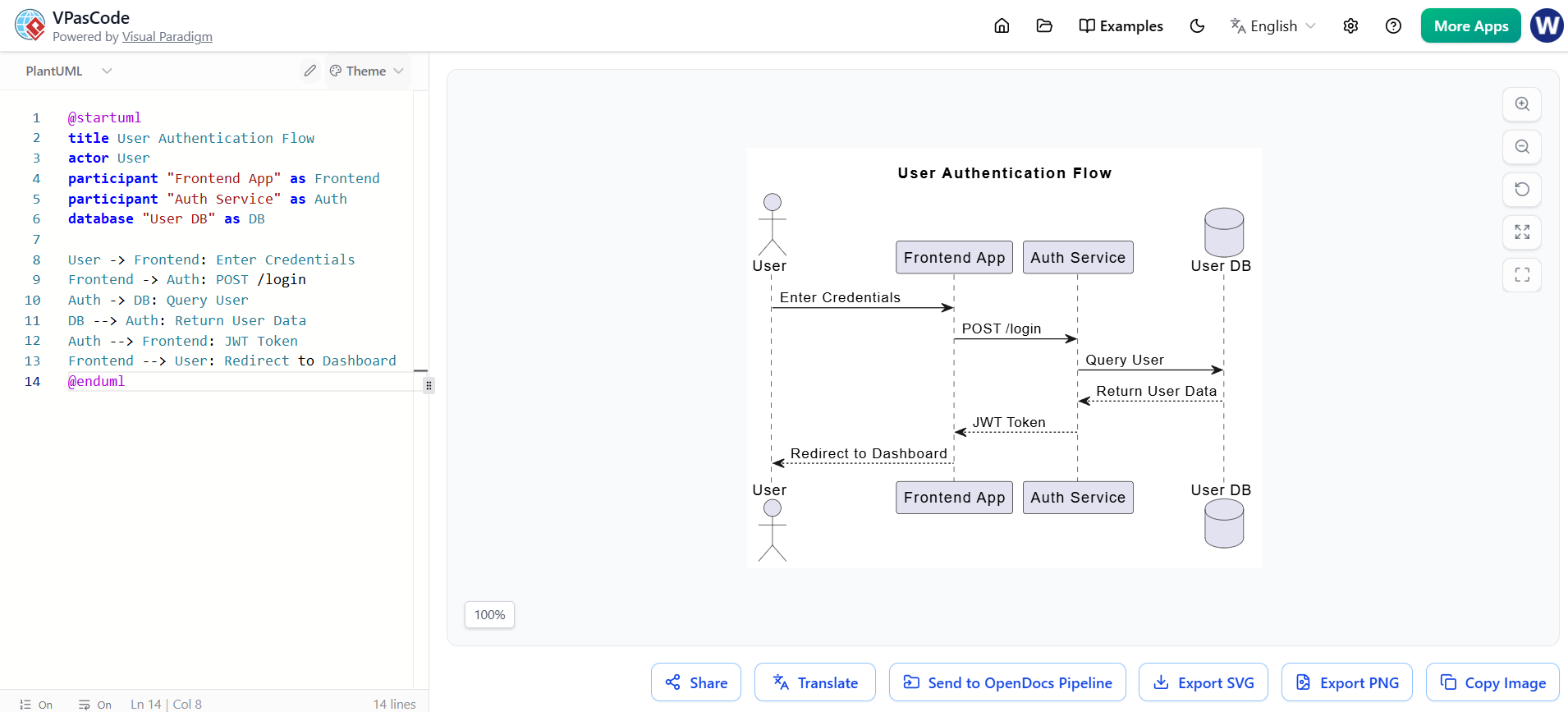
@startuml
title User Authentication Flow
actor User
participant "Frontend App" as Frontend
participant "Auth Service" as Auth
database "User DB" as DB

User -> Frontend: Enter Credentials
Frontend -> Auth: POST /login
Auth -> DB: Query User
DB --> Auth: Return User Data
Auth --> Frontend: JWT Token
Frontend --> User: Redirect to Dashboard
@enduml
Once rendered, clicking “Send to OpenDocs Pipeline” pushed this diagram directly into my technical specification document. This eliminates the need to export PNGs, name them correctly, and upload them manually.
Example 2: C4 Container Diagram for Microservices
For high-level architecture discussions with stakeholders, the C4 model is invaluable. It helps clarify system boundaries without getting bogged down in code details. Here is how I mapped a simple online banking system:
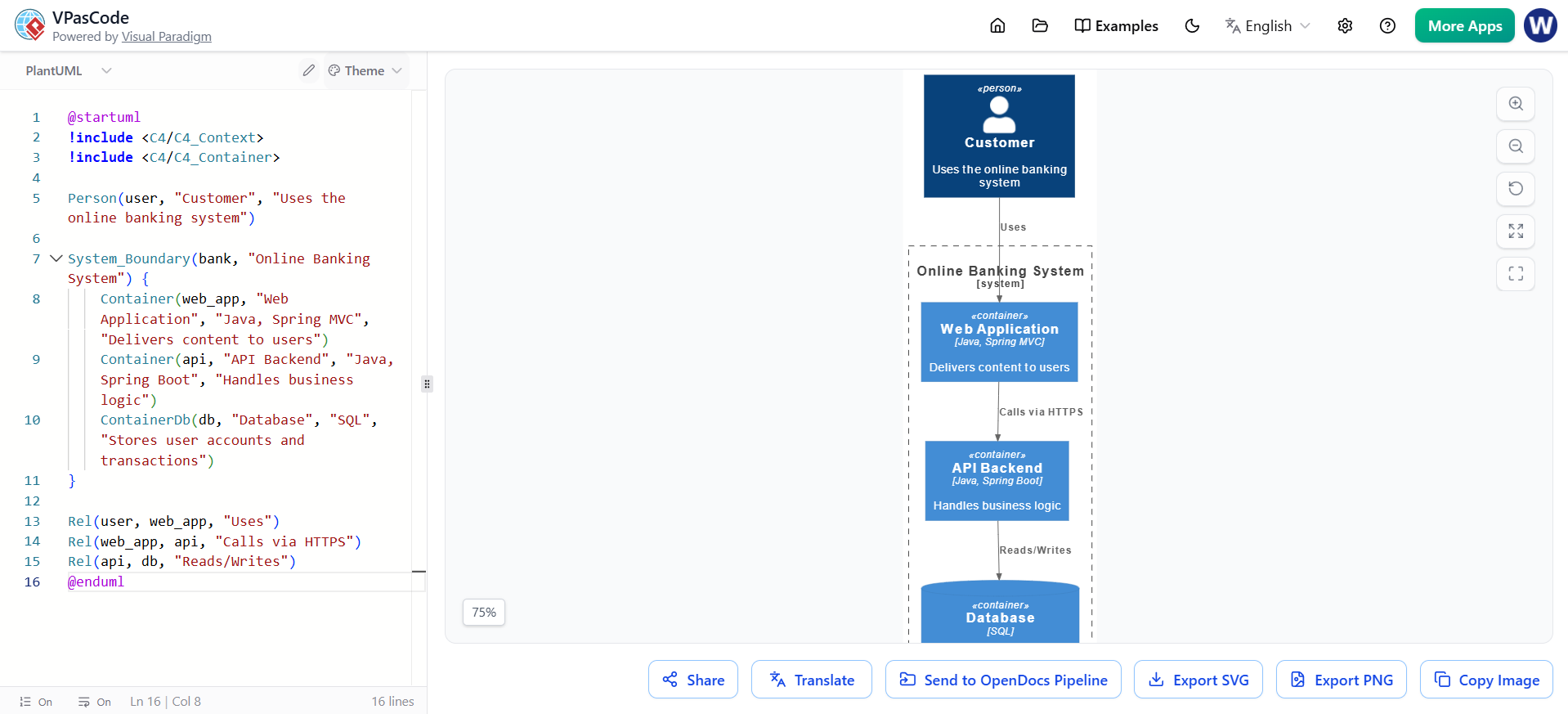
@startuml
!include <C4/C4_Context>
!include <C4/C4_Container>

Person(user, "Customer", "Uses the online banking system")

System_Boundary(bank, "Online Banking System") {
    Container(web_app, "Web Application", "Java, Spring MVC", "Delivers content to users")
    Container(api, "API Backend", "Java, Spring Boot", "Handles business logic")
    ContainerDb(db, "Database", "SQL", "Stores user accounts and transactions")
}

Rel(user, web_app, "Uses")
Rel(web_app, api, "Calls via HTTPS")
Rel(api, db, "Reads/Writes")
@enduml
Example 3: Class Diagram for Product Management
When defining product requirements, clarity around data entities is crucial. I used a class diagram to model a product catalog, clarifying the relationships between products, categories, and orders.
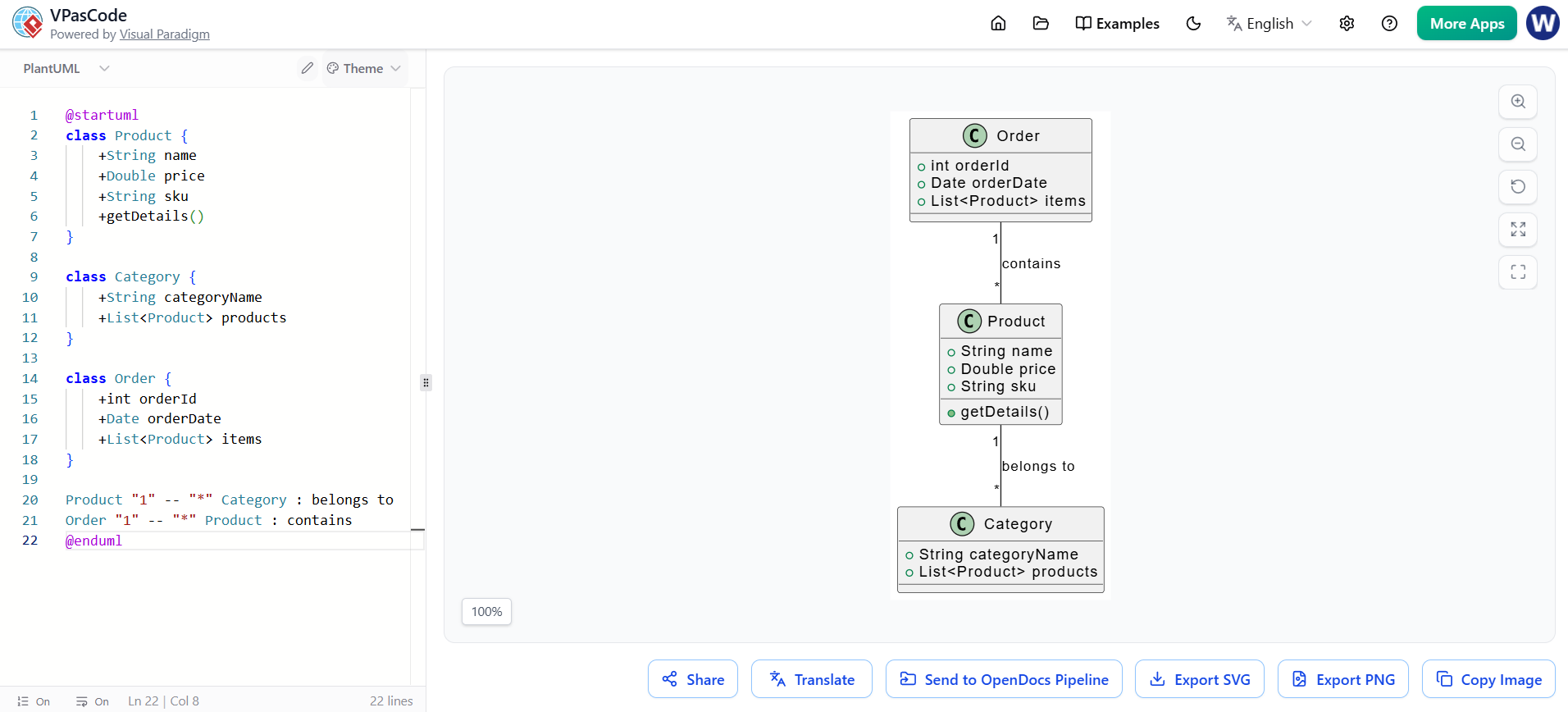
@startuml
class Product {
    +String name
    +Double price
    +String sku
    +getDetails()
}

class Category {
    +String categoryName
    +List<Product> products
}

class Order {
    +int orderId
    +Date orderDate
    +List<Product> items
}

Product "1" -- "*" Category : belongs to
Order "1" -- "*" Product : contains
@enduml
AI-Powered Features: Enhancing Your Workflow
What sets Visual Paradigm apart in this space is the integration of AI capabilities. During my testing, I found three features particularly useful for speeding up the documentation process:
-
AI Code Error Fixing: Syntax errors in PlantUML can be frustrating to debug. The AI detected mistakes in my code and suggested fixes instantly, saving me significant time.
-
AI Translation: For global teams, localizing documentation is a chore. The AI translation feature allowed me to convert diagram labels and descriptions into multiple languages with a single click.
-
Prompt-to-Diagram: In OpenDocs, I used the AI chatbot to generate diagrams from natural language. For example, typing “Create a sequence diagram for a payment processing flow” generated the initial PlantUML code, which I could then refine in VPasCode.
UX Feedback & Workflow Wins
Adopting the VPasCode-to-OpenDocs pipeline resulted in several tangible productivity gains for my team:
-
Version Control: Because diagrams are stored as code, we can track changes in Git. This makes it easy to revert to previous versions or compare changes over time, a feature rarely available in traditional drag-and-drop diagramming tools.
-
Collaboration: Team members can edit diagrams in VPasCode and instantly update shared docs in OpenDocs. This ensures everyone is working from the latest version, eliminating the “which file is the final one?” confusion.
-
Pain Points Resolved: The manual hunt for outdated PNGs and broken image links is gone. The pipeline ensures visuals stay synchronized with the documentation automatically.
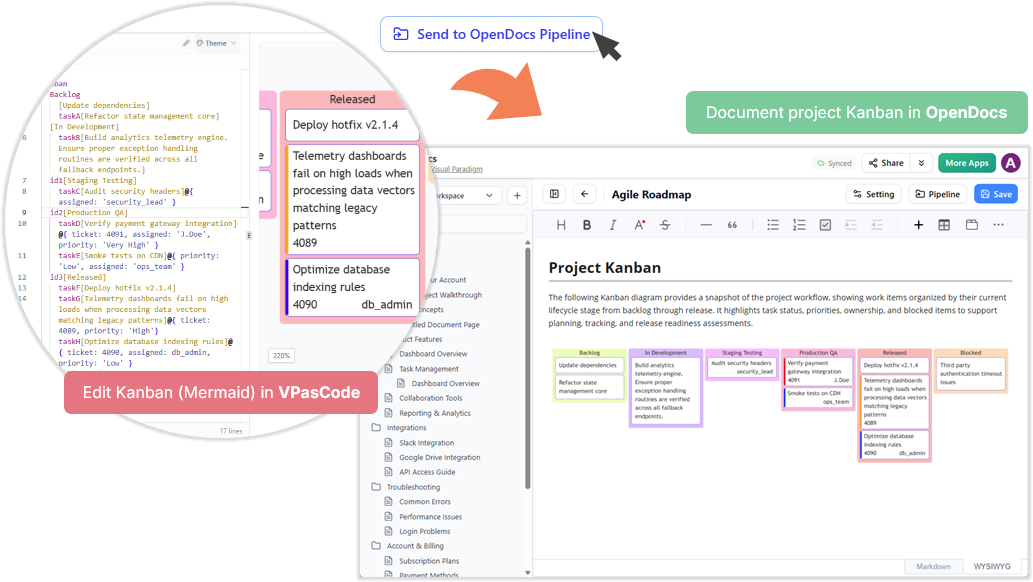
For Agile teams, this is a game-changer. Imagine updating a sprint retrospective Kanban board in VPasCode and pushing it to your team handbook in seconds:
Best Practices & Tips
To maximize efficiency with this workflow, I recommend following these best practices:
-
Use Descriptive Titles: Always add titles to your PlantUML diagrams (e.g.,
title User Login Flow) for clarity when they appear in documentation. -
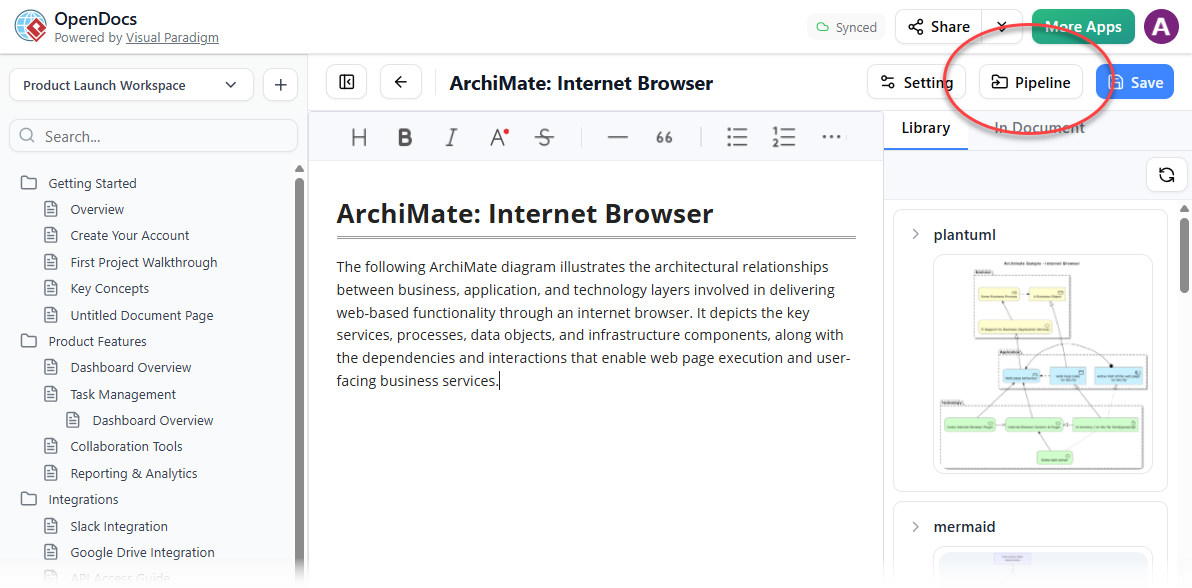
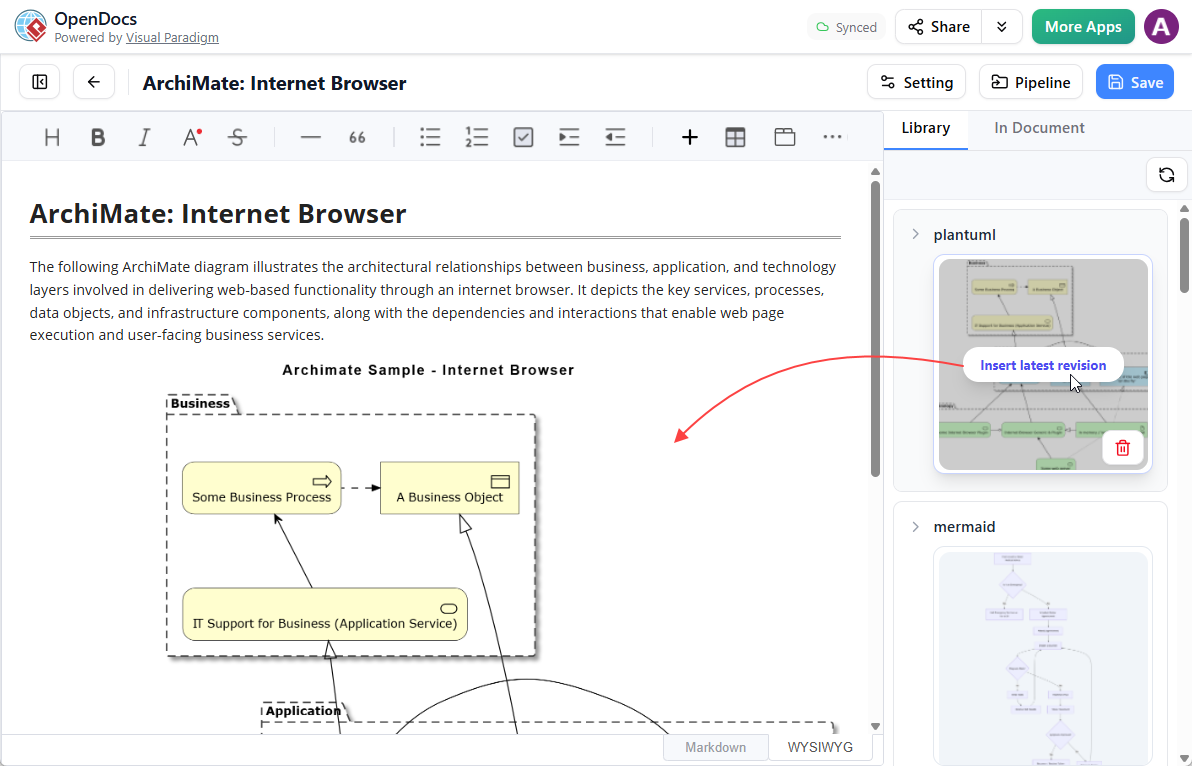
Leverage the Pipeline Pane: In OpenDocs, use the Pipeline pane to organize sent diagrams. Hovering over thumbnails allows you to insert them quickly into any document.
-
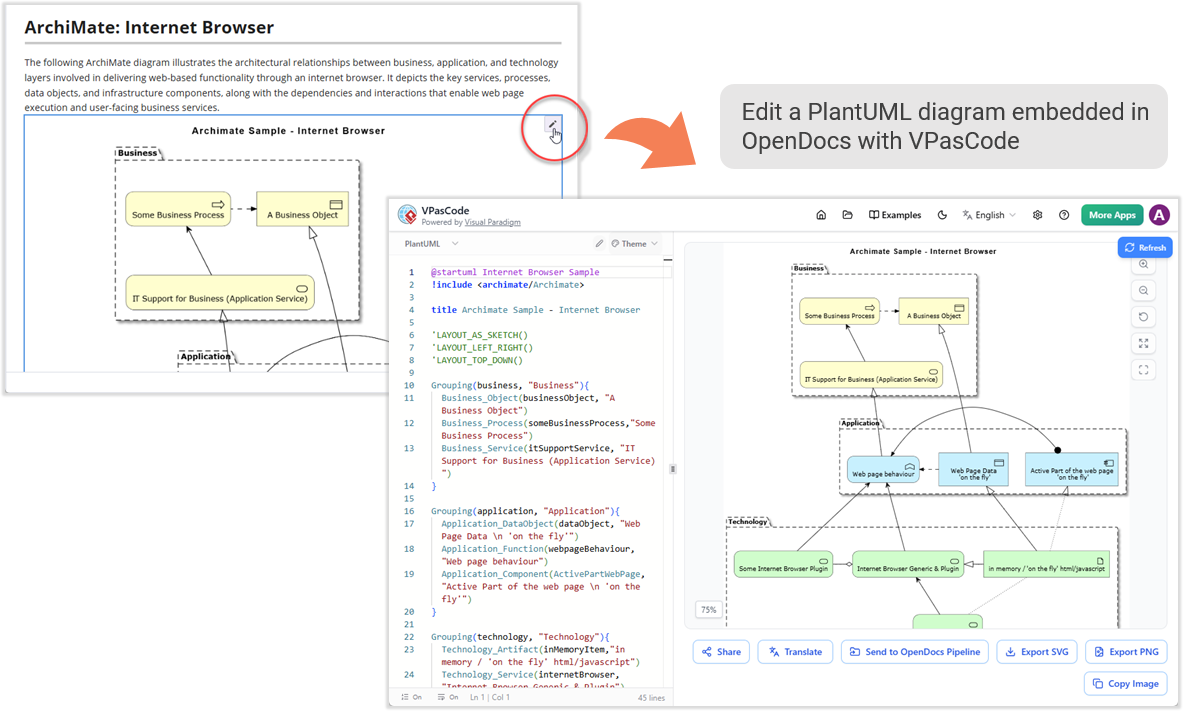
Iterate with the Pencil Button: If a diagram needs updates, click the pencil icon in OpenDocs to reopen it in VPasCode. Make your changes, resend, and replace the old version seamlessly.
-
Integrate with the Ecosystem: Combine VPasCode with other Visual Paradigm tools. For example, you can export enterprise-grade blueprints from Visual Paradigm Desktop or cloud diagrams from VP Online into OpenDocs.
Conclusion & Recommendations
The integration of VPasCode and OpenDocs represents a significant leap forward in technical documentation. By treating diagrams as code, you gain precision, version control, and ease of updates. The seamless pipeline eliminates manual steps, allowing engineers and writers to focus on content rather than formatting.
Who should adopt this?
-
Software Engineers: Who want to document architecture without leaving their coding environment.
-
Technical Writers: Who need up-to-date visuals without chasing developers for exports.
-
Product Managers: Who collaborate on roadmaps and retrospectives with cross-functional teams.
Start by experimenting with simple PlantUML diagrams in VPasCode and sending them to OpenDocs. As you grow comfortable, explore AI features and integrate with the broader Visual Paradigm ecosystem. With this workflow, your documentation will no longer be an afterthought—it will be a living, breathing part of your development process.
Ready to supercharge your workflow? Visit VPasCode and OpenDocs today to experience the power of seamless diagramming and documentation.
References
- Seamlessly Connect Diagramming to Documentation: VPasCode Integrates with OpenDocs: Official release notes detailing the new integration features between VPasCode and OpenDocs.
- From Code to Clarity: A Beginner’s Guide to Seamless Diagramming with VPasCode and OpenDocs: A comprehensive tutorial on setting up and using the VPasCode to OpenDocs pipeline.
- Comprehensive Guide to VPasCode by Visual Paradigm: An in-depth guide covering the features and capabilities of the VPasCode platform.
- Visual Paradigm’s Pipeline: Hands-On Review of Visual Paradigm’s Desktop to OpenDocs Integration: A review focusing on the broader pipeline capabilities connecting desktop tools to OpenDocs.
- OpenDocs: AI-Powered Knowledge Management Platform: Announcement and details regarding the AI features and knowledge management capabilities of OpenDocs.
- From Static Snapshots to Living Knowledge: Unifying Documentation and Modeling with Visual Paradigm OpenDocs: An article discussing the philosophy behind moving from static documents to dynamic, living knowledge bases.