
Choosing the Right Visual Paradigm Edition: A Beginner’s Guide to Model-Driven Development
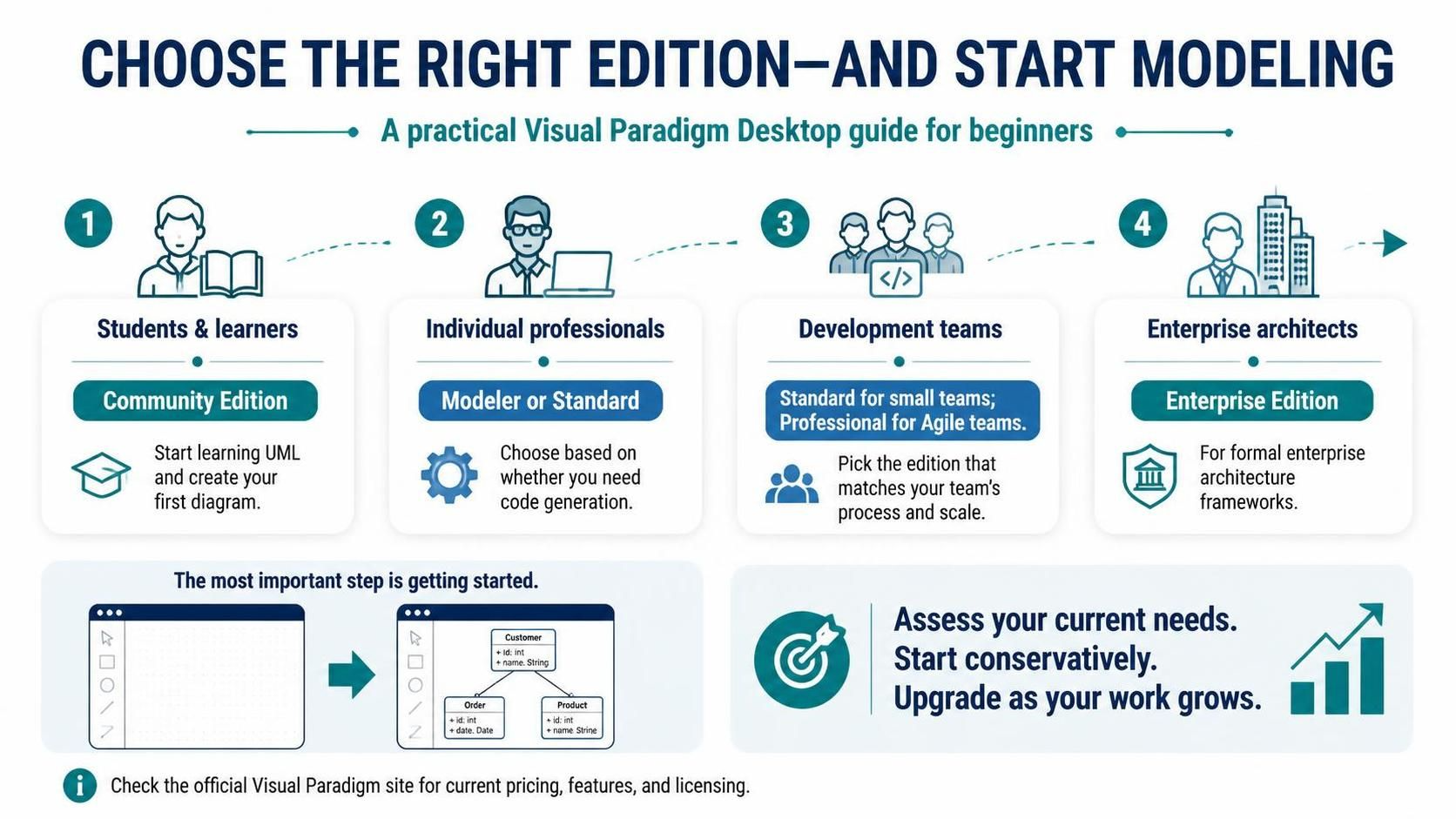
Visual Paradigm Desktop is a comprehensive suite designed to support the entire Software Development Life Cycle (SDLC). However, the sheer number of features available across different versions can be overwhelming for new users. The key to success is not just installing the software, but selecting the specific edition that aligns with your current role and anticipated growth.
This tutorial breaks down the Visual Paradigm edition lineup, helping you navigate from “Community” to “Enterprise” and understand how to leverage the tool effectively for model-driven development.
1. Students and Learners: The Foundation of Modeling
For those just starting their journey into systems analysis and design, the barrier to entry should be non-existent. Visual Paradigm offers the Community Edition specifically for this demographic.
- Target Audience: University students, bootcamp attendees, and self-taught programmers.
- Core Capabilities: This edition is fully functional for learning standard modeling languages like UML (Unified Modeling Language). You can create Use Case diagrams, Class diagrams, Sequence diagrams, and Entity Relationship Diagrams (ERD) without financial constraints.
- Strategic Value: It allows you to understand the syntax and visual language of software architecture before committing to a paid license.
2. Individual Professionals: Balancing Design and Code
Once you move from the classroom to the freelance market or a solo developer role, your requirements shift from “learning” to “delivering.” In this phase, you must decide between the Modeler and Standard Editions.
Decision Logic: Do you need Code Generation?
The primary differentiator here is the ability to bridge the gap between your diagrams and actual programming languages.
graph TD
    A[Start Modeling] --> B{Do you need to generate code?}
    B -- No --> C[Choose Modeler Edition]
    B -- Yes --> D[Choose Standard Edition]
    C --> E[Focus on pure documentation & design]
    D --> F[Enable forward engineering to Java/C#...]
If you strictly need to document requirements or design system logic without immediate code generation, the Modeler Edition is sufficient. However, if you need to reverse-engineer existing code or generate project skeletons (Java, C#, Python) directly from your class diagrams, the Standard Edition is the required tool.
3. Development Teams: Collaboration and Process
When modeling transitions from a solitary activity to a team effort, the focus shifts to collaboration, version control, and specific development methodologies (like Agile).
- Standard Edition: Suitable for small teams (typically up to 5 users) that need basic collaboration features.
- Professional Edition: Designed for Agile teams. It integrates deeply with issue trackers and provides advanced collaboration features required for Scrum or Kanban workflows.
4. Enterprise Architects: Framework Compliance
For large-scale organizations, modeling is often not just about software design but about governance and compliance. The Enterprise Edition is essential for these users.
Enterprise architects must adhere to strict frameworks such as TOGAF (The Open Group Architecture Framework) or Zachman. The Enterprise Edition includes specific templates and wizards that enforce these standards, ensuring that your architecture documentation is compliant with industry regulations.
Conclusion: Start, Model, and Grow
The most critical step in any modeling project is simply getting started. The tools in Visual Paradigm are powerful, but they are most effective when applied to real-world problems.
- Assess your needs: Are you learning? Coding solo? Managing a team? Governing an enterprise?
- Choose conservatively: Start with the edition that solves your current problem.
- Upgrade as you evolve: Leverage the upgrade paths to expand your capabilities.
Download the appropriate edition today, create your first diagram, and experience the power of model-driven development firsthand.