


In the landscape of software architecture and system design, clarity is currency. When building complex systems, understanding how components interact internally is as critical as knowing how they connect externally. The Unified Modeling Language (UML) offers several tools for this purpose, but one specific diagram often gets overlooked or misunderstood: the Composite Structure Diagram. 🧩
Despite its power, this diagram type is surrounded by confusion. Many practitioners confuse it with class diagrams, assume it is only for hardware, or believe it is too static for modern development cycles. These misconceptions can lead to poor documentation, architecture drift, and maintenance headaches. This guide dissects the truth behind the notation, providing a clear, authoritative look at what this diagram actually is and how to use it effectively.
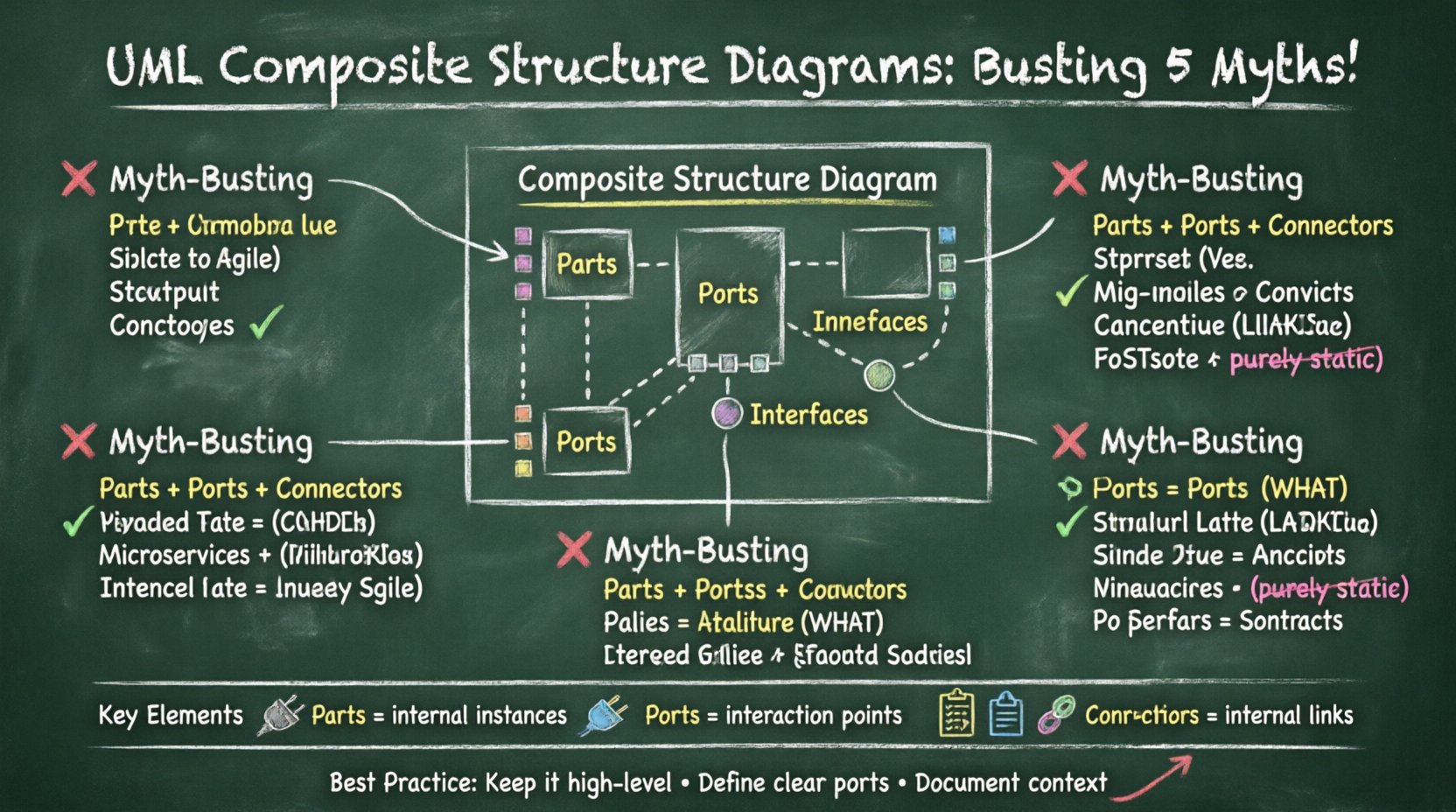
Understanding the Foundation: What Is This Diagram? 🏗️
Before debunking myths, we must establish facts. A Composite Structure Diagram shows the internal structure of a classifier, such as a class or component. It reveals the parts that make up the whole and how they collaborate to provide behavior.
Unlike a standard Class Diagram, which focuses on relationships between different types, this diagram focuses on the internal composition of a single type. It answers the question: “What is inside this box, and how do its pieces talk to each other?”
- Parts: The internal instances that make up the structure.
- Ports: Points of interaction where the part connects to the outside world.
- Interfaces: Contracts that define the services a part provides or requires.
- Connectors: The links that bind parts together internally.
This level of detail is essential when designing systems where the internal delegation of tasks matters, such as in distributed systems or complex embedded software.
Myth 1: It Is Just a Fancy Class Diagram 🧐
The most common error is assuming the Composite Structure Diagram is simply a Class Diagram with more boxes. While they share some notation, their purpose diverges significantly.
The Technical Distinction
- Scope: A Class Diagram describes the static structure of a system across all classes. The Composite Structure Diagram zooms in on the internal anatomy of one class or component.
- Behavior: Class Diagrams show attributes and operations. Composite Structure Diagrams show the flow of control between internal parts via ports and interfaces.
- Aggregation vs. Composition: Both show relationships, but the Composite diagram explicitly models the composition where parts cannot exist without the whole.
When to Use Which?
| Diagram Type | Primary Focus | Best Used For |
|---|---|---|
| Class Diagram | System-wide static structure | Database schema, general object relationships |
| Composite Structure Diagram | Internal parts of a single classifier | Component architecture, internal delegation, hardware abstraction |
If you are mapping the entire database schema, a Class Diagram is sufficient. If you are defining how a specific engine module delegates tasks to its fuel injector and spark plug internally, the Composite Structure Diagram is the correct tool. Confusing the two leads to cluttered diagrams that obscure rather than clarify.
Myth 2: It Is Only for Hardware or Embedded Systems 🖥️
Many developers associate this diagram with physical hardware, thinking it belongs exclusively in embedded systems engineering where physical components (sensors, processors, motors) are modeled. While it is excellent for hardware, limiting it to hardware ignores its utility in pure software architecture.
Software Applications
In modern software engineering, the concept of “parts” applies to logical components just as well as physical ones. Consider a microservices architecture or a layered web application:
- Logical Parts: A web service might be composed of a Controller, a Service Layer, and a Repository. Each is a “part” with specific interfaces.
- Delegation: The Controller does not handle data logic; it delegates to the Service Layer. The Composite Structure Diagram visualizes this delegation explicitly.
- Port Interaction: Ports define how these layers accept input and provide output, independent of the underlying implementation language.
Why the Misconception Exists
The notation includes concepts like “ports” and “connectors” that mirror physical wiring. However, in software, a port is an abstract interface point. A connector is a dependency or association. By restricting this tool to hardware, architects miss a chance to document the internal contract of complex software objects.
When documenting a legacy system migration, for instance, showing how a monolithic module is composed of distinct internal services helps stakeholders understand the refactoring plan without getting bogged down in code.
Myth 3: It Is Too Complex for Agile Environments 🏃♂️
Agile methodologies prioritize working software over comprehensive documentation. Some teams argue that detailed structural diagrams are too time-consuming to maintain and therefore incompatible with iterative development. They view this diagram as a heavy, waterfall-era artifact.
The Counter-Argument: Clarity Saves Time
While it is true that a diagram is only useful if it is up to date, the investment in a Composite Structure Diagram pays dividends in reduced debugging time. When a developer joins a team, understanding the internal composition of a component is faster than reading the source code line-by-line.
- Onboarding: New team members grasp the architecture quickly.
- Refactoring: When changing an internal part, the diagram shows which other parts rely on it, reducing regression risk.
- Documentation as Code: Diagrams can be generated from model-driven development tools, keeping them in sync with the codebase automatically.
Pragmatic Usage in Sprints
You do not need to diagram every class. Use the Composite Structure Diagram for:
- Critical subsystems.
- Interfaces that span multiple teams.
- Components with high complexity or high failure rates.
By treating it as a living document for complex areas rather than a system-wide mandate, it fits comfortably into an agile workflow. The goal is not to document everything, but to document what is difficult to understand.
Myth 4: Sequence Diagrams Make This Redundant 🔄
Another frequent point of contention is the overlap between Sequence Diagrams and Composite Structure Diagrams. Both show interactions. Therefore, some teams discard the Composite Structure Diagram entirely, relying solely on Sequence Diagrams to show how parts talk.
Static vs. Dynamic
This is a fundamental misunderstanding of the UML spectrum.
- Sequence Diagrams: These are behavioral diagrams. They show a specific scenario or timeline of messages. They answer: “What happens when the user clicks the button?”
- Composite Structure Diagrams: These are structural diagrams. They show the potential for interaction. They answer: “What is the architecture that allows the button click to be processed?”
Why You Need Both
A Sequence Diagram describes one flow. A Composite Structure Diagram describes the capability of the system to handle flows. You can have multiple sequence diagrams for a single composite structure.
For example, a payment gateway component might have:
- A validation sequence.
- A transaction sequence.
- A refund sequence.
Instead of drawing three separate sequence diagrams, you can draw one Composite Structure Diagram showing the parts (Validator, Transaction Processor, Refund Handler) and how they connect. This provides a single source of truth for the architecture, while the sequence diagrams provide the detail for specific use cases.
Delegation Interfaces
The Composite Structure Diagram excels at showing delegation interfaces. When an internal part handles a request, it often passes it to another part. This delegation is structural. A Sequence Diagram shows the message passing, but the Composite Structure Diagram defines the contract that allows that message passing to exist.
Myth 5: It Is Static and Cannot Show Behavior 🛑
Some practitioners believe that because it is a “Structure” diagram, it cannot represent any behavior. They assume it only shows boxes and lines, offering no insight into how the system functions.
Interfaces Define Behavior
This is incorrect. While the diagram itself is static, the interfaces connected to the ports define behavior. The diagram shows the mechanism by which behavior is realized.
- Provided Interfaces: These are the services the part offers to the outside.
- Required Interfaces: These are the services the part needs from other parts.
By mapping these, the diagram implicitly maps the behavioral dependencies. If Part A requires Interface X, and Part B provides Interface X, the behavior of Part A is dependent on Part B.
Collaboration Frames
In advanced usage, collaboration frames can be added to indicate specific behavioral patterns. While not standard in every tool, the structural context provided by the diagram is the prerequisite for defining behavior. You cannot understand the behavior without understanding the structure that enables it.
The diagram acts as the skeleton. The Sequence and Activity diagrams provide the muscle and nerve. Removing the skeleton makes the behavior float in a void, making it hard to trace back to implementation.
Best Practices for Implementation ✅
To get the most out of this diagram without falling into the traps of the myths above, follow these established guidelines.
1. Define Clear Ports
Do not expose the entire object as a single interaction point. Break down interactions into specific ports. This enforces a modular design where dependencies are explicit.
- Use named ports for clarity.
- Ensure every external interaction goes through a port.
- Group related interfaces on the same port if appropriate.
2. Use Delegation Carefully
Delegation connectors allow an internal part to handle a request meant for the composite whole. Use this when the internal part is the true executor of the logic. Do not use it to hide complexity; use it to manage it.
3. Keep It High-Level
Do not list every attribute in the parts. Focus on the parts themselves and their relationships. If you need to show attributes, use a Class Diagram. This diagram is about the structure of the parts, not the data within them.
4. Document the Context
Always show the context box. This indicates what the composite structure is an implementation of. This distinguishes the implementation from the interface, which is crucial for understanding the system hierarchy.
Common Pitfalls to Avoid ⚠️
Even with the best intentions, errors happen. Here are common mistakes to watch out for.
- Over-Engineering: Creating diagrams for simple classes that have no internal parts. If a class has no internal structure, do not draw this diagram.
- Ignoring Interfaces: Connecting parts directly without interfaces. This creates tight coupling. Always use interfaces to define the contract.
- Missing Context: Failing to show the context box makes it hard to understand what the composite structure represents.
- Inconsistent Naming: Using different names for the same interface in different parts. Maintain a glossary.
Conclusion on Clarity and Structure 🎯
The UML Composite Structure Diagram is a specialized tool that, when used correctly, brings immense value to system architecture. It bridges the gap between abstract design and concrete implementation by showing how internal components collaborate.
By moving past the myths that it is just a class diagram, only for hardware, too complex for agile, redundant with sequence diagrams, or purely static, architects can unlock a deeper level of understanding. The key is to use it where it matters: in complex structures where internal delegation and interaction are critical.
Documentation should serve the developer, not the other way around. When a diagram helps a developer reason about the system faster than reading code, it has succeeded. The Composite Structure Diagram offers that advantage for the right context.