


In modern software engineering, the complexity of systems grows at a pace that often outstrips human comprehension. When architecture becomes opaque, communication breaks down, technical debt accumulates silently, and new team members struggle to find their footing. The C4 Model emerges not merely as a method for drawing diagrams, but as a framework for fostering a culture of transparency 🌍. This approach shifts the focus from creating static documentation to facilitating clear, layered conversations about system design.
Transparency in architecture is about making decisions visible. It allows stakeholders, developers, and operations teams to understand how pieces fit together without needing to read every line of source code. By adopting this structured visualisation method, teams can align their mental models, reduce ambiguity, and ensure that the system evolves in a predictable manner. This guide explores how to implement this model effectively to enhance understanding and collaboration within your engineering organisation.
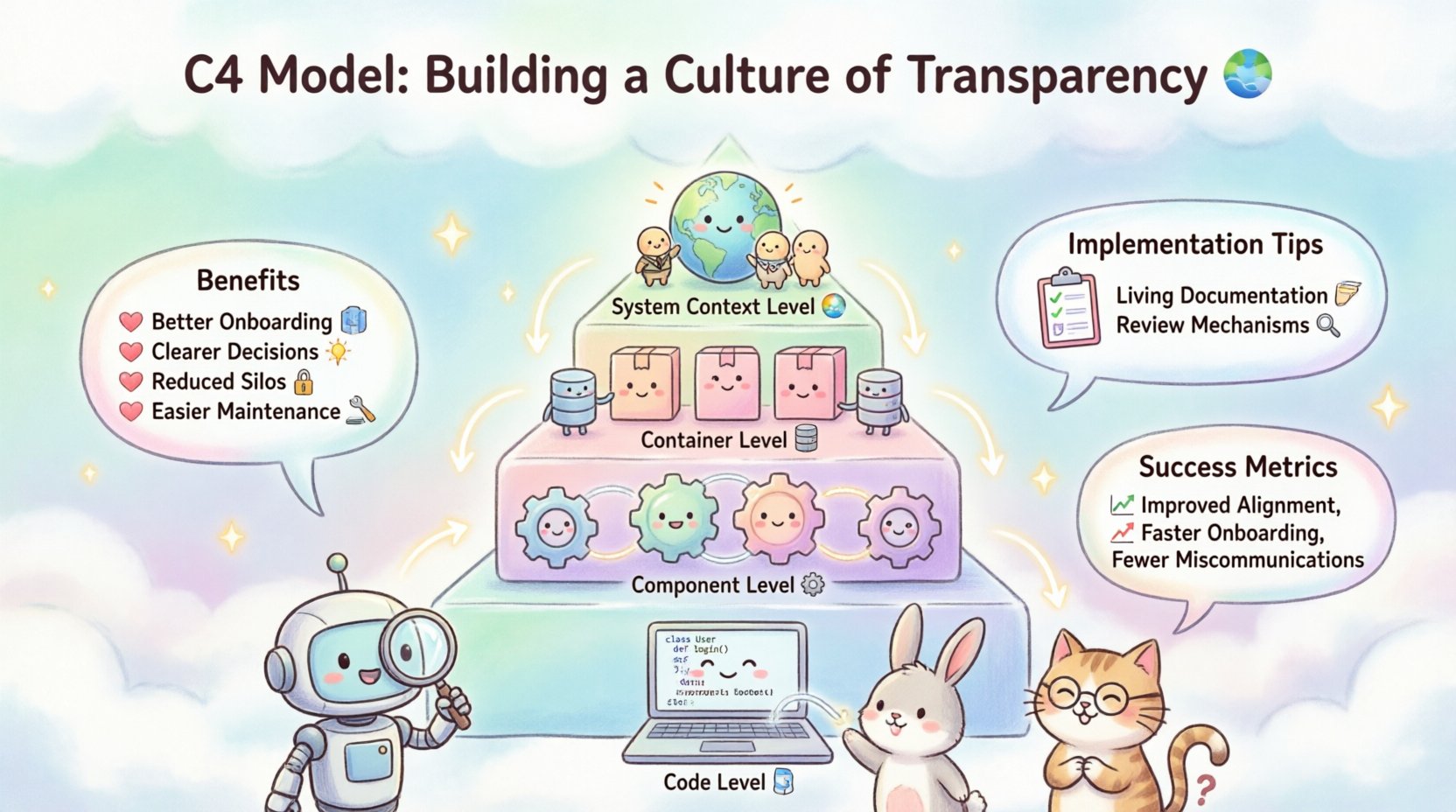
Why Transparency Matters in System Design 🤝
Software architecture is often described as the blueprint of a building. However, unlike a physical blueprint which is rarely changed after construction, digital architectures evolve continuously. Without a shared understanding of this evolution, teams face fragmentation. One developer might assume a service is monolithic while another treats it as microservices. This disconnect leads to integration failures and deployment risks.
Building a culture of transparency addresses these issues by establishing a common language. When everyone uses the same terminology and levels of abstraction, discussions become more productive. Here are the core benefits of adopting this approach:
- Better Onboarding: New engineers can grasp the system landscape faster, reducing the time to first contribution.
- Clearer Decision Making: Architects and leads can visualise the impact of proposed changes before writing code.
- Reduced Knowledge Silos: Documentation becomes accessible to all, not just the original creators.
- Improved Maintenance: Identifying dependencies and bottlenecks becomes significantly easier when the structure is visible.
The Hierarchy of Abstraction 📊
The model is built upon a hierarchy of four levels. Each level serves a specific audience and answers a specific question. Moving from the broadest view to the most detailed view allows different stakeholders to engage with the information relevant to them. This structure prevents information overload and keeps communication focused.
1. System Context Level 🌐
The highest level of abstraction depicts the system as a single block within its environment. It answers the question: What does this system do, and who uses it?
At this stage, the focus is on the people and external systems that interact with the software. It defines boundaries clearly. This level is crucial for product managers, business analysts, and external partners who need to understand the scope without technical details.
- Key Elements: The system itself, users (human or automated), and external systems.
- Relationships: Arrows showing data flow or interaction between the system and its environment.
- Audience: Non-technical stakeholders, new joiners, and high-level decision makers.
By defining the boundaries here, teams avoid scope creep. Everyone knows what is inside the system and what is outside. This clarity is the first step in building transparency.
2. Container Level 📦
Zooming in, the system is broken down into containers. A container is a distinct, deployable unit of software. It could be a web application, a mobile app, a database, or a background process.
This level answers: How is the system built, and what technologies are used?
- Key Elements: Applications, databases, data stores, and third-party services.
- Relationships: Protocols and technologies used for communication (e.g., HTTP, TCP, SQL).
- Audience: Developers, architects, and DevOps engineers.
Defining containers helps teams understand the deployment topology. It clarifies where the application runs and how data moves between different technical components. This is often the most used level for day-to-day development discussions.
3. Component Level ⚙️
Within a container, components represent distinct functions. A component is a logical grouping of functionality within a container. It could be a class, a module, or a service within a larger application.
This level answers: What does each part do, and how does it contribute to the container?
- Key Elements: Business logic modules, data access layers, and API handlers.
- Relationships: Interfaces and dependencies between components.
- Audience: Software developers and system designers.
At this granularity, developers can design specific features without being overwhelmed by the entire system. It allows for modular thinking and promotes separation of concerns. Transparency here ensures that dependencies are explicit, reducing the risk of circular references or tight coupling.
4. Code Level 💻
The lowest level represents the actual code. In many cases, this is not explicitly diagrammed because the source code serves as the ultimate truth. However, complex algorithms or critical data structures can be documented here.
This level answers: How is the specific function implemented?
- Key Elements: Classes, functions, and data structures.
- Relationships: Inheritance, method calls, and data manipulation.
- Audience: Senior developers and technical specialists.
While rarely drawn as diagrams, the code itself should be transparent. Comments and documentation should align with the higher-level diagrams. If the code does not match the design, the design is updated, or the code is refactored.
Implementing the Culture: Process and Practice 🛠️
Having the levels is not enough. A culture of transparency requires active maintenance and integration into the workflow. Diagrams that sit in a shared drive and are never updated become liabilities. They create a false sense of security and mislead the team.
Living Documentation 📝
Documentation must be treated as code. It should be version controlled, reviewed, and updated alongside the software. This ensures that the visual representation always matches the reality of the deployment.
- Version Control: Store diagram files in the same repository as the application code.
- Update Triggers: Define rules for when diagrams must be updated (e.g., during pull requests).
- Accessibility: Ensure all team members can view and edit the documentation without friction.
Review Mechanisms 🔍
Just as code requires review, architectural diagrams should too. This practice reinforces the transparency culture by inviting feedback from peers. It ensures that the abstraction levels are accurate and that the design decisions are sound.
| Diagram Level | Primary Reviewer | Focus of Review |
|---|---|---|
| System Context | Product Manager | Scope alignment and user needs |
| Container | Lead Architect | Technology choices and deployment topology |
| Component | Senior Developers | Interface definitions and internal logic |
| Code | Peer Developers | Implementation details and complexity |
This structured review process distributes ownership. No single person holds the keys to the architecture; the entire team validates the structure.
Overcoming Common Challenges 🚧
Even with the best intentions, teams often struggle to maintain transparency. Understanding common pitfalls helps in navigating these obstacles effectively.
1. Documentation Drift
Over time, diagrams diverge from the code. This happens when updates are made to the system but the documentation is forgotten. To combat this, automate where possible. Use tools that can generate diagrams from the code structure, although manual validation remains essential for high-level context.
2. Over-Engineering
Teams sometimes create diagrams for every single class or function. This creates noise and makes the system harder to understand. Adhere to the hierarchy. Only document what is necessary for the specific audience. If a diagram is too complex, it likely violates the principle of abstraction.
3. Lack of Standards
If every developer draws diagrams differently, confusion ensues. Establish a standard set of notations and symbols. Consistency allows the team to read diagrams quickly without needing to decipher a new language each time.
4. Resistance to Change
Some team members may view documentation as a burden rather than a benefit. Frame the activity as a way to reduce future work. Clear diagrams prevent miscommunication, which is a major cause of rework. Highlighting these efficiency gains helps shift the mindset.
Metrics for Success 📈
How do you know if the culture is working? Look for indicators that show improved understanding and reduced friction.
- Onboarding Time: Does it take less time for new hires to contribute code?
- Incident Resolution: Are teams able to identify root causes of issues faster?
- Code Review Speed: Are pull requests discussed more efficiently when the architecture is clear?
- Question Frequency: Are fewer repetitive questions asked about system structure during meetings?
Tracking these metrics helps demonstrate the value of the transparency initiative. It moves the conversation from opinion to evidence.
Integrating with Agile Practices 🚀
Transparency aligns well with agile methodologies. Sprints focus on delivering value, and clear architecture ensures that value is delivered without breaking the foundation. During planning sessions, the container and component diagrams serve as reference points.
When a new feature is requested, the team can reference the existing diagrams to see where it fits. This prevents the addition of features in the wrong place or the duplication of existing functionality. It also helps in estimating effort more accurately.
The Role of Leadership 👔
Leaders play a pivotal role in setting the tone. If leadership prioritises speed over structure, transparency suffers. Leaders must allocate time for documentation and model the behaviour they expect.
- Prioritise Clarity: Reward clear communication over complex code.
- Allocate Resources: Ensure time is available for maintaining diagrams during sprints.
- Encourage Questions: Create an environment where asking about architecture is encouraged, not penalised.
When leaders value the structure, the rest of the team follows suit. This top-down support is essential for long-term success.
Future Proofing the Architecture 🔮
Systems will change. Technologies will evolve. The goal is not to freeze the design but to ensure that changes are managed transparently. Regular reviews of the diagrams help identify technical debt early.
For example, if a container diagram shows too many direct connections between services, it signals a need for decoupling. If a component diagram shows high coupling, it indicates a need for refactoring. The diagrams act as a radar system for architectural health.
Final Thoughts on Collaboration 🌟
Building a culture of transparency is a journey, not a destination. It requires commitment, discipline, and a willingness to change habits. However, the rewards are substantial. Teams that communicate clearly build better software. They make fewer mistakes. They enjoy their work more because the path forward is clear.
By utilising the four levels of the model, teams can ensure that everyone is on the same page. Whether you are discussing high-level strategy or debugging a specific function, the visual language provides a common ground. This shared understanding is the bedrock of effective engineering.
Start small. Create a System Context diagram for your current project. Share it. Ask for feedback. Iterate. As the team becomes comfortable, expand to the other levels. The goal is not perfection but progress. With consistent effort, transparency becomes the default state of your organisation, enabling you to build complex systems with confidence and clarity.