


Enterprise architecture requires a structured approach to visualize complex systems. When focusing on the underlying technology infrastructure, consistency becomes vital. The ArchiMate specification provides a standardized language for describing, analyzing, and visualizing enterprise architecture. This guide details how to apply ArchiMate standards specifically to the Technology Layer. By following established patterns, architects can create models that are clear, maintainable, and aligned with business goals. 📊
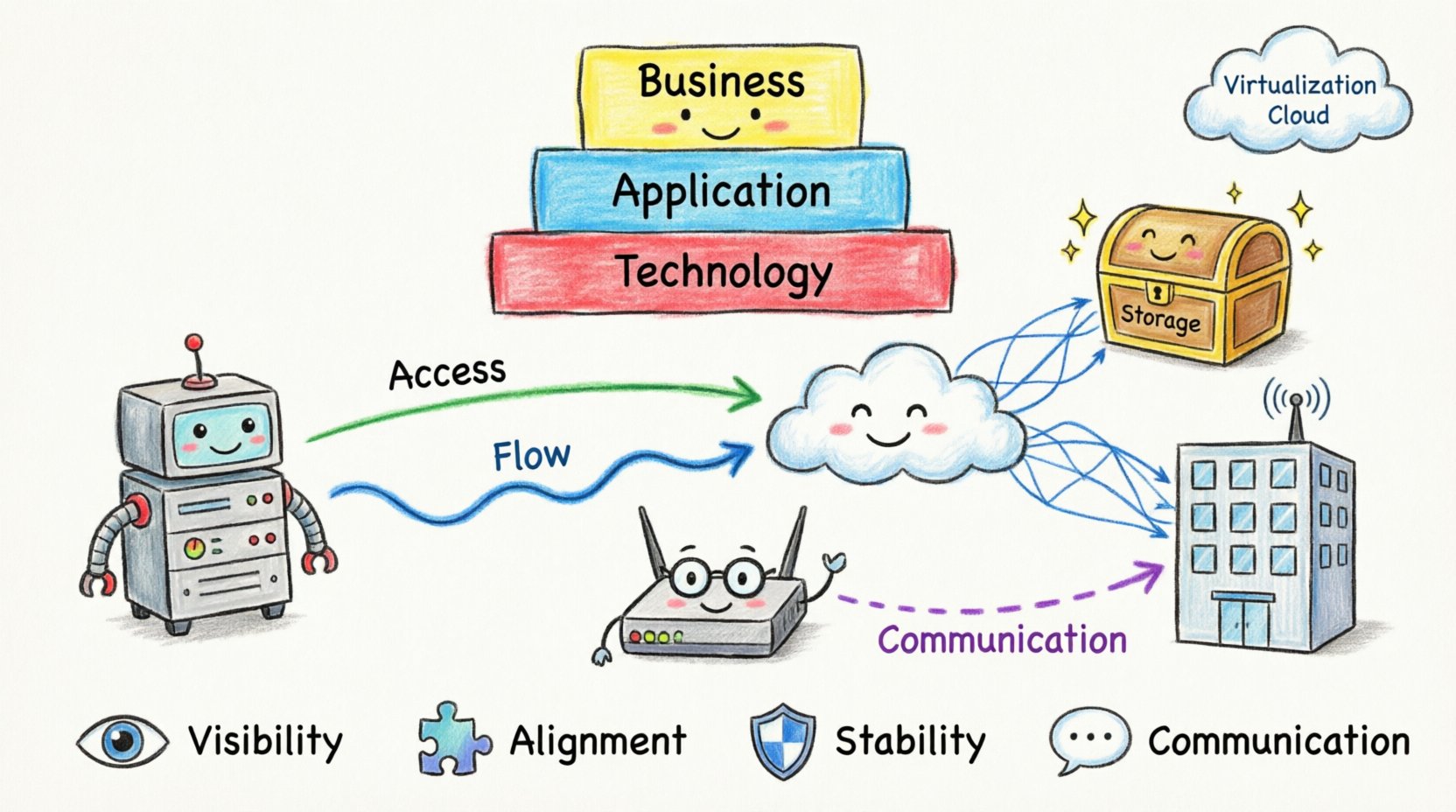
📚 Understanding the Architecture Context
ArchiMate divides enterprise architecture into several layers to manage complexity. The Technology Layer sits at the bottom of the technology stack, providing the infrastructure upon which applications and business processes run. Modeling this layer effectively ensures that IT investments align with strategic objectives. It bridges the gap between abstract business needs and concrete hardware and software implementations.
Key objectives for modeling the Technology Layer include:
Visibility: Providing a clear view of the physical and logical infrastructure components.
Alignment: Ensuring technology supports application capabilities and business functions.
Stability: Creating a model that remains relevant despite frequent updates to hardware or software.
Communication: Enabling stakeholders to understand infrastructure dependencies and risks.
🖥️ Core Technology Layer Elements
The Technology Layer consists of specific metamodel elements. These elements represent the physical and logical infrastructure. Understanding the distinction between these elements is crucial for accurate modeling. Below is a breakdown of the primary elements used in this layer.
1. Computing Nodes and Devices
A Node represents a processing location. It can be a single device or a collection of devices grouped together. Nodes often represent logical boundaries or physical locations where processing occurs. A Device is a specific piece of hardware, such as a server, router, or workstation. Devices are instances of Nodes.
Node: Represents a processing location (e.g., Data Center, Cloud Region).
Device: Represents specific hardware (e.g., Server, Router, Firewall).
2. Servers and Storage
Computing resources are essential for application execution. Server elements represent systems that provide services to other systems. This includes database servers, application servers, or web servers. Storage elements represent physical or logical storage devices. They hold data required by the infrastructure and applications.
Server: A computing device that provides services (e.g., Web Server, DB Server).
Storage: A device for data retention (e.g., Hard Disk, SAN, Cloud Storage).
3. Networks and Communication
Connectivity is the backbone of modern infrastructure. Network elements represent the physical or logical medium used for communication. This includes LANs, WANs, or specific network segments. Communication Network is a specific type of network that facilitates data exchange between devices.
4. Software and Interfaces
While the Technology Layer focuses on infrastructure, it also includes software that manages the infrastructure. Software represents executable programs or services. Interface represents a point of interaction between components. This could be a network port, an API, or a physical connector.
🔗 Relationships and Connections
Modeling elements in isolation is insufficient. Relationships define how these components interact. ArchiMate provides specific relationship types for the Technology Layer. These relationships clarify dependencies, data flows, and structural compositions.
Relationship Type | Description | Example |
|---|---|---|
Access | One element uses another to perform a function. | A Server accesses a Storage device. |
Aggregation | A composition relationship where parts form a whole. | A Data Center aggregates multiple Servers. |
Flow | Data or signals move from one element to another. | Data flows from a Router to a Switch. |
Communication | Elements exchange information via a network. | A Client communicates with a Server. |
Assignment | An element is assigned to another to perform a function. | A Device is assigned to a Node. |
Access Relationships
Access relationships are fundamental. They indicate that one component requires another to operate. For instance, a database application requires access to the storage device where the database resides. In the model, this is depicted as a directed line from the consumer to the provider.
Aggregation and Composition
Aggregation shows structural composition. If a Node is composed of multiple Devices, an aggregation relationship links them. This helps visualize hierarchy. A specific rack in a data center might aggregate multiple servers. This structural view aids in capacity planning and redundancy analysis.
Flow and Communication
Flow relationships represent the movement of information. This is distinct from structural composition. Communication relationships are specific to the network context. They indicate that two elements exchange data over a communication network. Distinguishing between physical flow and logical communication is essential for security modeling.
🧩 Integration Across Layers
The Technology Layer does not exist in a vacuum. It interacts with the Application Layer and the Business Layer. These interactions define how technology enables business value. Understanding cross-layer relationships ensures a holistic view of the enterprise.
Application to Technology
Applications rely on technology to function. An Application Function from the Application Layer typically accesses a Server or Database in the Technology Layer. This relationship is often an Access or Realization relationship. It clarifies which infrastructure components support specific business capabilities.
Business to Technology
Direct relationships between Business and Technology are possible but less common. Usually, the Application Layer acts as the intermediary. However, in some cases, a business process might directly rely on a specific technology, such as a manufacturing line controlled by embedded software. In such cases, a Realization relationship connects the business process to the technology.
🛠️ Modeling Best Practices
Creating a robust model requires adherence to certain principles. These practices prevent clutter and ensure the model remains useful over time. Following these guidelines helps maintain clarity and consistency.
1. Maintain Abstraction Levels
Do not mix high-level strategic views with low-level implementation details in the same diagram. Use separate diagrams for different audiences. A C-level executive needs a view of major nodes and data centers. An engineer needs a view of specific devices and ports.
2. Standardize Naming Conventions
Consistency in naming prevents confusion. Use a standard naming convention for devices, networks, and nodes. For example, prefix router names with RT and servers with SV. This makes searching and filtering within the model easier.
3. Document Assumptions
Infrastructure models often rely on assumptions about future growth or network topology. Document these assumptions in the model notes. This ensures that future architects understand the context of the design decisions.
4. Leverage Views and Viewpoints
ArchiMate supports multiple viewpoints. Use different viewpoints to highlight specific aspects. For example, a Deployment Viewpoint focuses on physical placement. A Network Viewpoint focuses on connectivity. This separation helps stakeholders focus on what matters to them.
⚙️ Implementation and Maintenance
Once the model is created, it requires maintenance. Technology infrastructure changes frequently. Hardware is upgraded, networks are reconfigured, and data centers evolve. A static model quickly becomes obsolete. Regular updates are necessary.
Version Control
Treat the architecture model as a versioned artifact. Document changes in a changelog. When a major infrastructure update occurs, create a new version of the model. This allows teams to compare the state of the infrastructure before and after changes.
Automation
Where possible, integrate model data with infrastructure tools. While manual entry is common, some data points like device status or network topology can be imported from monitoring systems. This reduces the risk of human error and keeps the model synchronized with reality.
Review Cycles
Schedule regular reviews of the technology architecture. Involve infrastructure teams in these reviews. They can validate the accuracy of the model and identify missing components. This collaborative approach ensures the model reflects the actual state of the environment.
🚧 Common Pitfalls to Avoid
Even experienced architects can make mistakes when modeling technology infrastructure. Being aware of common pitfalls helps avoid them.
Over-detailing: Including every cable and port makes the model unreadable. Focus on logical connections and significant hardware.
Ignoring Redundancy: Failure to model redundant paths can lead to unrealistic risk assessments. Ensure backup links and failover nodes are represented.
Static Relationships: Assuming relationships never change. Network paths and dependencies evolve. Keep the model dynamic.
Isolated Modeling: Creating the technology model without input from application teams. This leads to gaps where applications rely on undocumented infrastructure.
📈 Future Proofing the Model
Technology trends evolve rapidly. Cloud computing, virtualization, and edge computing change how infrastructure is structured. The ArchiMate model should accommodate these changes.
Virtualization Support
Modern infrastructure relies heavily on virtualization. A physical server may host multiple virtual machines. The model should represent this distinction. Use Node elements for physical hardware and Server or Application elements for virtual instances. This clarity helps in resource allocation and cost analysis.
Cloud Integration
Hybrid cloud environments are common. Cloud providers act as external Nodes or Storage. Model these as external interfaces or remote nodes. This helps visualize data sovereignty and connectivity requirements across private and public environments.
📝 Summary of Key Components
To summarize, effective modeling of technology infrastructure using ArchiMate standards involves several critical steps. It requires a clear understanding of the metamodel, proper use of relationships, and adherence to best practices. The goal is to create a representation that is both accurate and actionable.
Key takeaways for architects include:
Define Elements Clearly: Distinguish between Nodes, Devices, and Servers.
Map Relationships Accurately: Use Access, Flow, and Communication relationships correctly.
Integrate Layers: Connect Technology to Application and Business layers.
Maintain Regularly: Update the model as infrastructure changes.
Focus on Value: Ensure the model supports decision-making and strategic planning.
By following these guidelines, organizations can build a technology infrastructure model that serves as a reliable foundation for their enterprise architecture. This foundation supports innovation, reduces risk, and aligns IT operations with business strategy. The result is a more resilient and adaptable technology environment. 🚀