


Enterprise architecture relies on the precision of its underlying models. When defining relationships within ArchiMate, accuracy is not merely a preference; it is a requirement for meaningful analysis. A model riddled with incorrect connections fails to reflect reality, leading to flawed decision-making regarding business processes, applications, or infrastructure. This guide explores the specific pitfalls found in relationship definitions and provides the technical context needed to maintain high-quality models.
Relationships in ArchiMate are not simple lines connecting shapes. They carry semantic weight. Each line type implies a specific type of dependency, flow, or structural link. Misinterpreting these semantics creates noise that obscures the signal. We must distinguish between a logical association and a physical flow, understand vertical layer boundaries, and respect the directionality of interactions.
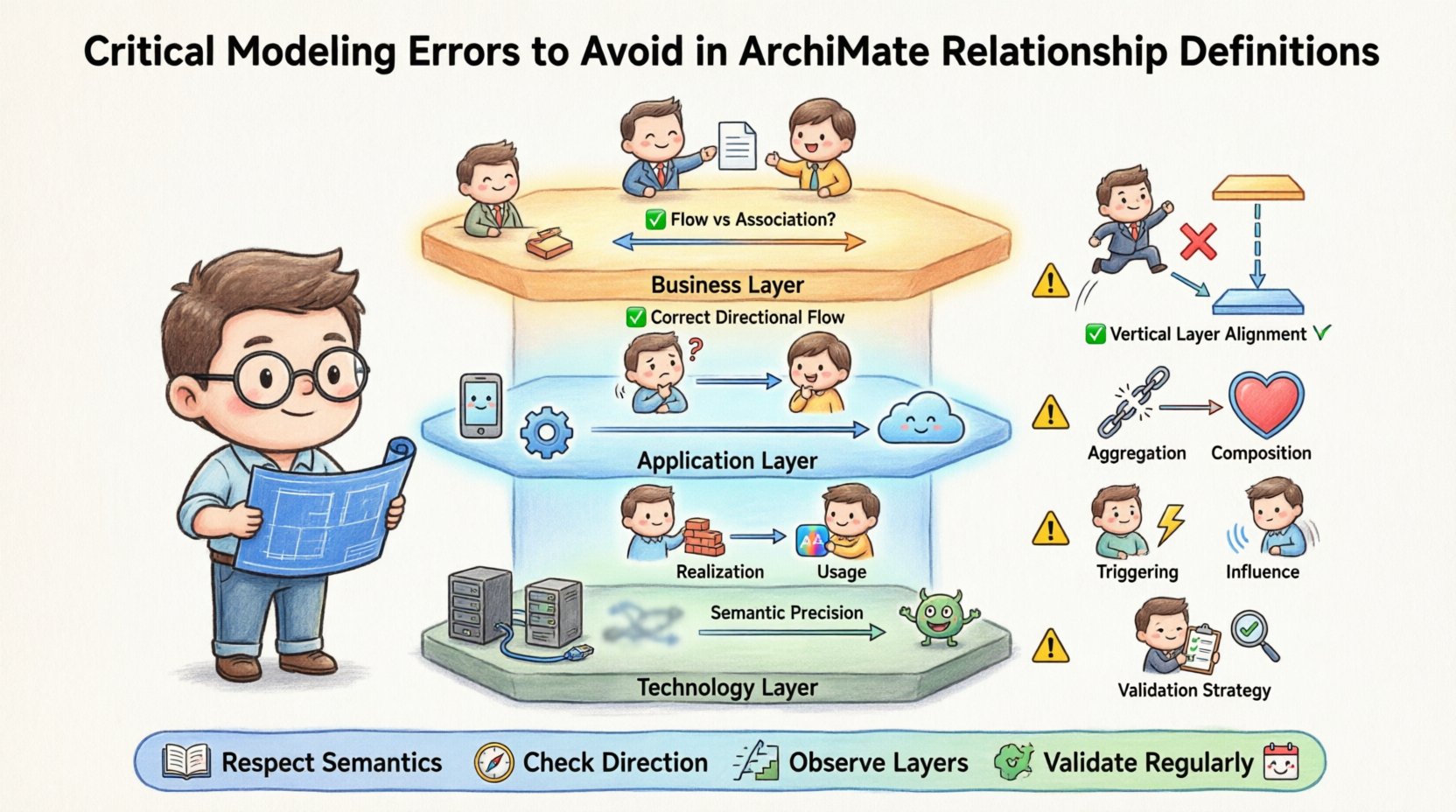
1. The Semantic Foundation of Relationships 🧱
Before identifying errors, one must understand the purpose of the relationships. ArchiMate defines various relationship types to capture different aspects of enterprise structure.
- Structural Relationships: These define how elements are grouped or related statically (e.g., Aggregation, Composition, Specialization).
- Behavioral Relationships: These define how elements interact or influence each other (e.g., Triggering, Access, Usage).
- Logical Relationships: These define the flow of data or services between elements (e.g., Flow, Communication).
When a modeler selects the wrong relationship type, the model loses its analytical value. For instance, using an Association where a Flow is required implies a logical link but hides the movement of data. Using a Flow where an Association is needed implies data movement where only a dependency exists. Both errors result in an inaccurate representation of the enterprise.
2. Confusing Flow and Association 🔄
This is perhaps the most frequent error encountered in enterprise architecture modeling. The distinction lies in the nature of the interaction.
- Association: A generic relationship indicating that two elements are related in some way. It does not imply direction or data movement. It is often used for static links, such as a Person being associated with a Role.
- Flow: Indicates the movement of information or resources from one element to another. It is directional and implies that the target element receives something from the source element.
Consider a scenario where a Business Process generates a document. If you draw a line from the Process to the Application that stores it, a Flow relationship is appropriate if the data is being passed. If the relationship is merely that the Application supports the Process without direct data passing, an Association is better.
Common mistakes in this area include:
- Using Flow for static dependencies, which creates false impressions of data traffic.
- Using Association for data movement, which hides the flow of information essential for process analysis.
- Ignoring the source and target roles. A Flow from Application to Business Function is different from Business Function to Application.
3. Layer Violations and Vertical Connectivity 📉
ArchiMate separates concerns into layers: Business, Application, and Technology. The standard guidelines dictate how relationships should cross these boundaries.
- Horizontal Relationships: Occur within the same layer (e.g., Business to Business).
- Vertical Relationships: Occur between different layers (e.g., Business to Application).
A common error is connecting layers inappropriately without using the correct relationship type. For example, connecting a Business Process directly to a Technology Service without an intermediate Application layer often skips the logical abstraction. This violates the principle of separation of concerns.
Specific vertical relationship errors include:
- Missing Realization: Using a generic Association to link a Business Requirement to a Business Process. The correct relationship is often Realization or Assignment, depending on the specific context of the standard.
- Direct Technology to Business: Linking a Technology Service directly to a Business Actor. This skips the Application layer entirely, making the model difficult to analyze for application impact.
- Incorrect Aggregation: Attempting to aggregate Business Objects with Technology Objects. These belong to different domains and should not be part of the same whole-part hierarchy.
4. Directionality and Flow Confusion 🧭
Directionality defines the meaning of a relationship. In ArchiMate, many relationships have a specific source and target.
- Usage: An element uses another element to realize its function.
- Access: An element reads or writes to another element.
Reversing the direction of a Usage relationship changes the meaning entirely. If Application A uses Application B, then A depends on B. If Application B uses Application A, then B depends on A. A common error is drawing arrows backward due to visual convenience rather than semantic accuracy.
Another frequent issue involves the Assignment relationship. This links a Business Actor to a Business Process or Role. The direction indicates who performs the action. If the arrow points from the Process to the Actor, it implies the Process is assigned to the Actor, which is semantically incorrect.
5. Misusing Aggregation and Composition 🔗
Structural relationships define the “whole-part” nature of elements. Aggregation and Composition are often confused.
- Aggregation: A weak whole-part relationship. The part can exist independently of the whole.
- Composition: A strong whole-part relationship. The part cannot exist without the whole.
Modelers often default to Aggregation because it is easier to maintain. However, in strict modeling, Composition is required for items that are intrinsically tied to the whole.
For example, consider a Project and its Tasks.
- If a Task can exist outside the Project (e.g., a reusable task template), Aggregation is correct.
- If a Task is created specifically for the Project and ceases to have meaning once the Project ends, Composition is correct.
Using Composition for everything creates rigidity. Using Aggregation for everything creates ambiguity. The error lies in applying a blanket approach without analyzing the lifecycle of the part element.
6. Realization vs. Access or Usage 🔌
Realization is a specific relationship used to indicate that one element implements or satisfies another. It is often used to link a Business Process to a Business Function, or an Application to a Service.
- Realization: The “how” relationship. How is this service realized? By this application.
- Access: The “read/write” relationship. This application accesses that database.
- Usage: The “depends on” relationship. This application uses that library.
Confusing Realization with Usage is a significant error. If an Application Realizes a Service, the Application provides the Service. If an Application Uses a Service, the Application consumes the Service. These are inverse relationships. Using Usage instead of Realization implies dependency where there is provision, and vice versa.
7. Missing Triggering and Influence ⚡
Behavioral relationships often capture events and triggers.
- Triggering: Indicates that the occurrence of one event triggers another.
- Influence: Indicates that one element has an impact on another, but not necessarily a direct trigger.
Errors in this area often stem from modeling static connections as dynamic events. If a Business Process is connected to a Business Event using an Association, the model implies a logical link but misses the temporal aspect of triggering. Using Triggering where Influence is meant dilutes the specificity of the model.
Conversely, using Triggering for a passive influence creates false expectations of immediate causality. For example, a Policy influencing a Process should use Influence, not Triggering. The Policy does not start the Process; it guides it.
8. The Impact of Poor Definitions 🏗️
Why do these errors matter? An architecture model is often used for impact analysis, gap analysis, and roadmap planning.
- Impact Analysis: If relationships are wrong, changing a Technology element might not show the correct impact on Business Processes. This leads to underestimating risk.
- Gap Analysis: Incorrect realization links hide the gaps between required Services and available Applications.
- Consistency Checks: Automated validation rules often fail or produce false positives if relationship semantics are inconsistent.
When a model lacks precision, trust in the architecture diminishes. Stakeholders stop relying on the diagrams for decision-making because the underlying logic does not hold up to scrutiny.
9. Relationship Types and Common Pitfalls 📋
The following table summarizes common relationship types and the specific errors associated with them.
| Relationship Type | Correct Usage | Common Error |
|---|---|---|
| Flow | Data or resource movement | Used for static dependencies |
| Association | Generic logical link | Used for data movement |
| Access | Read/Write interaction | Used for logical dependency |
| Usage | Dependency on functionality | Used for data flow |
| Realization | Implementation/Satisfaction | Used for consumption |
| Aggregation | Weak whole-part | Used for strong dependency |
| Composition | Strong whole-part | Used for independent parts |
| Triggering | Event causality | Used for passive influence |
10. Strategies for Validation 🛡️
To prevent these errors, validation must be part of the modeling lifecycle.
- Peer Review: Have another architect review the relationship definitions. Fresh eyes often catch directionality mistakes.
- Rule Sets: Define modeling rules that enforce layer boundaries. For example, prevent direct connections between Business and Technology layers without an Application layer in between.
- Documentation: Document the semantics of your model. If a specific relationship is used in a specific way, record that convention.
- Automated Checks: Use tools that check for broken links, invalid relationship directions, or missing attributes.
11. Maintaining Model Integrity Over Time 📅
Models evolve. As the enterprise changes, relationships must be updated. The risk of error increases during updates because the context changes.
- Refactoring: When restructuring a process, ensure all outgoing relationships are updated to point to the new elements.
- Decommissioning: When removing an element, check if any relationships depend on it. Orphaned relationships indicate errors.
- Version Control: Track changes to relationships. A sudden proliferation of Usage relationships might indicate a drift in the architectural style.
12. The Role of Governance 🏛️
Governance ensures that the rules are followed. Without governance, modelers will default to the path of least resistance, often using generic Association links for everything.
- Standards: Establish a clear standard for relationship usage.
- Training: Ensure modelers understand the semantic difference between Flow and Usage.
- Audit: Periodically audit the model for consistency.
By enforcing these standards, the architecture practice remains robust. The relationships become a reliable map of the enterprise, rather than a collection of lines that look correct but mean nothing.
13. Summary of Key Takeaways ✅
Avoiding critical modeling errors requires discipline and a deep understanding of the language semantics. Focus on the following core principles to maintain quality.
- Respect Semantics: Do not use a line just because it connects two shapes. Use the relationship that matches the meaning.
- Check Directionality: Always verify that the source and target match the intended flow of information or dependency.
- Observe Layers: Do not cross layers without a valid vertical relationship that respects the separation of concerns.
- Validate Regularly: Treat relationship definitions as code that needs refactoring and testing.
Building a reliable enterprise architecture is a continuous effort. By paying attention to the details of relationship definitions, you ensure that the model serves its purpose: to provide clarity and direction for complex organizational change.