Introduction
The landscape of software architecture and business process modeling is undergoing a significant transformation. Traditionally, creating detailed diagrams like UML, BPMN, or ArchiMate required meticulous manual effort—dragging shapes, aligning connectors, and ensuring syntactic correctness. This barrier often slowed down ideation and collaboration between technical and non-technical stakeholders.
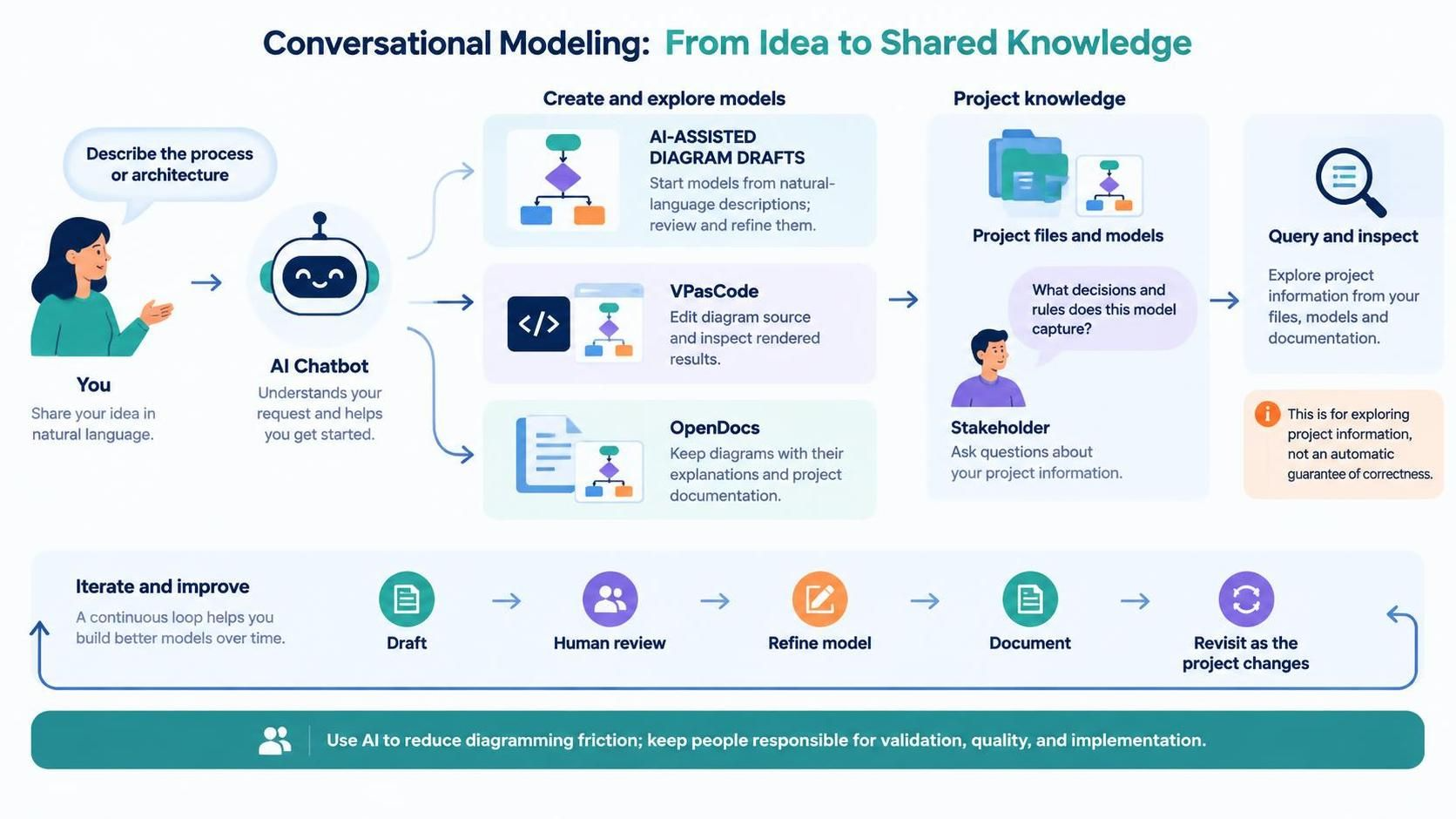
Visual Paradigm has addressed this challenge by introducing an AI-driven conversational ecosystem, centered around its AI Chatbot and the recent AI VPP Chatbot (released in Visual Paradigm 18.1). This system allows users to generate, refine, and analyze complex diagrams using natural language. By integrating tools like VPasCode for code-based control and OpenDocs for living documentation, Visual Paradigm creates a seamless pipeline from plain-text ideas to professional-grade architectural models.
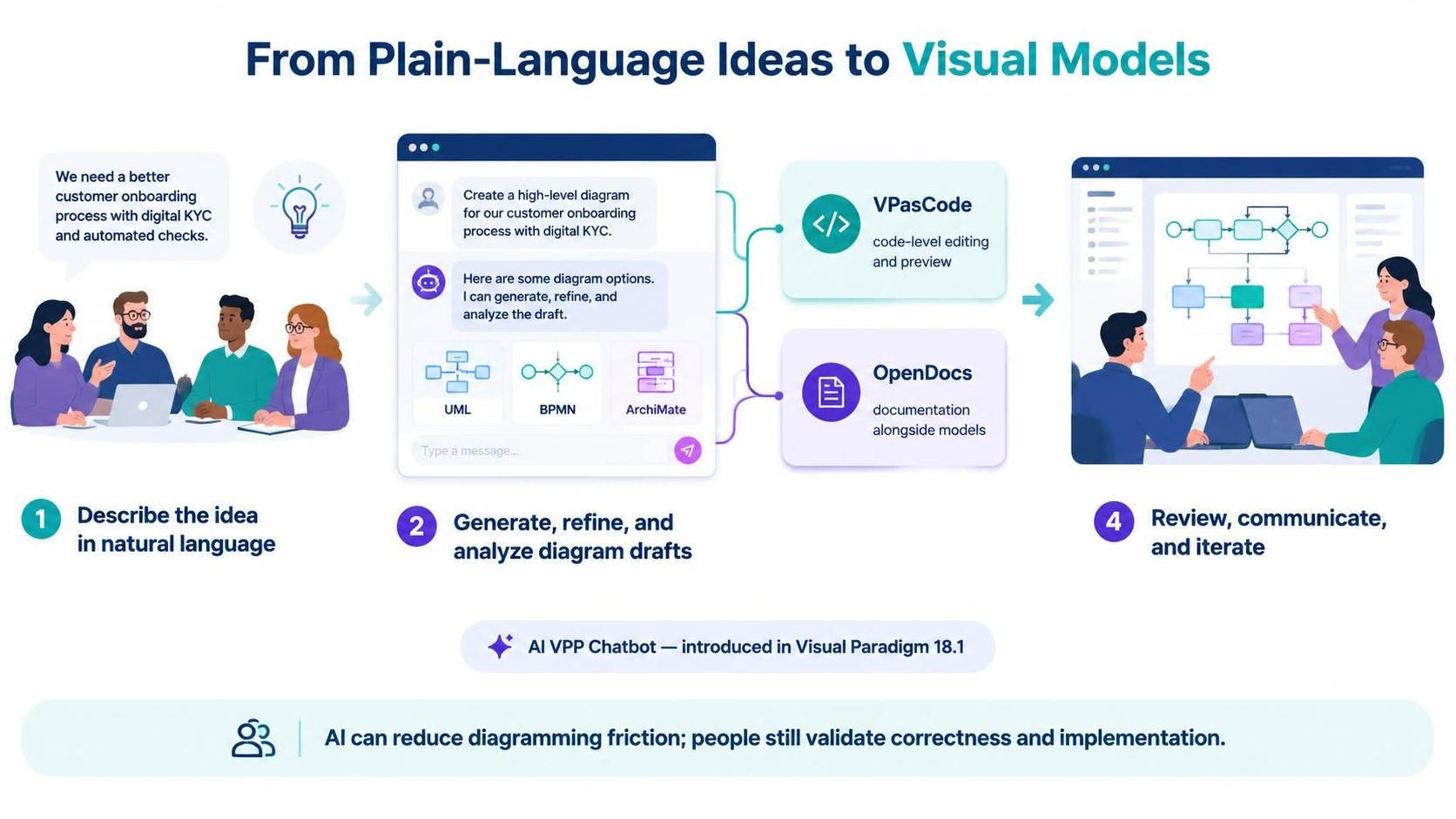
This guide explores how to leverage this conversational AI ecosystem to accelerate diagramming, ensure model quality, and bridge the gap between business requirements and technical implementation.
Key Concepts
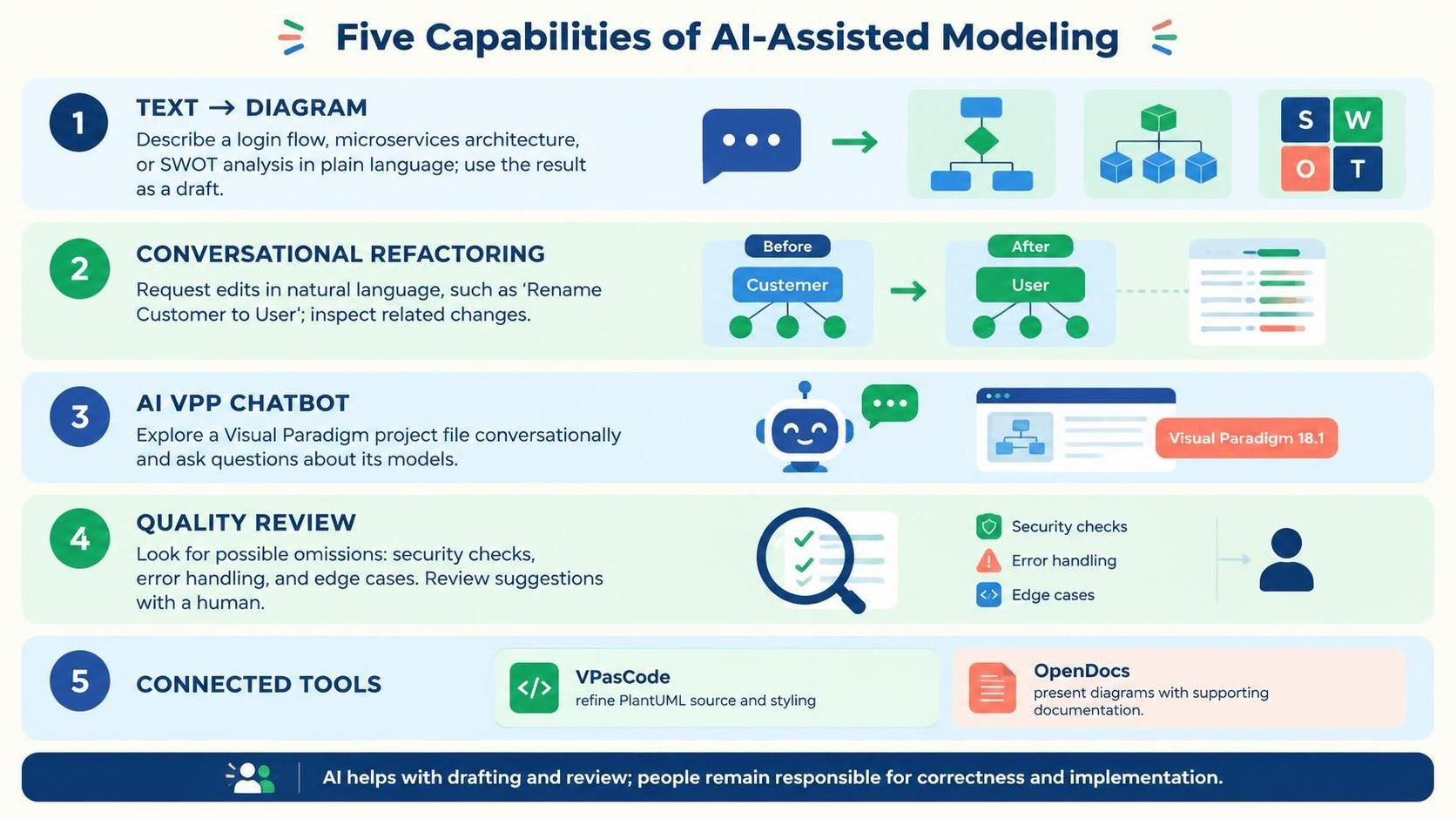
1. Instant Text-to-Diagram Generation
The core capability of the AI Chatbot is its ability to interpret plain language descriptions and convert them into syntactically correct diagrams. Whether you are describing a user login flow, a microservices architecture, or a strategic SWOT analysis, the AI handles the heavy lifting of layout and notation compliance. This eliminates the initial “blank canvas” paralysis and allows teams to focus on logic rather than formatting.
2. Conversational Refactoring & Cascading Intelligence
Modeling is an iterative process. The AI Chatbot supports natural language commands to modify existing diagrams. For example, asking to “Rename Customer to User” triggers cascading intelligence, automatically updating related attributes, methods, and references across the entire canvas. This ensures consistency and reduces the risk of human error during large-scale refactoring.
3. AI VPP Chatbot: Deep Project Analysis
Introduced in Visual Paradigm 18.1, the AI VPP Chatbot goes beyond simple diagram generation. It provides deep conversational analysis of entire project files (.vpp). Users can query their architecture models, extract insights from business process designs, and manage complex project data through direct conversation. This turns the project file itself into an interactive knowledge base.
4. Quality Review & Validation
The AI acts as an intelligent reviewer. It can evaluate flowcharts and architectural models for completeness, pointing out missing steps such as security checks, error handling, or edge cases. This proactive validation helps maintain high standards in both business processes and technical architectures.
5. Integrated Ecosystem: VPasCode & OpenDocs
-
VPasCode: Exposes PlantUML scripts, allowing developers to apply fine-grained styling and logic control that might be difficult to achieve through pure natural language.
-
OpenDocs Pipeline: Generates structured documentation, technical explanations, and summaries directly from visual models, ensuring that documentation stays in sync with the latest design changes.
Tooling Workflow: Visual Paradigm BPMN + VPasCode + AI
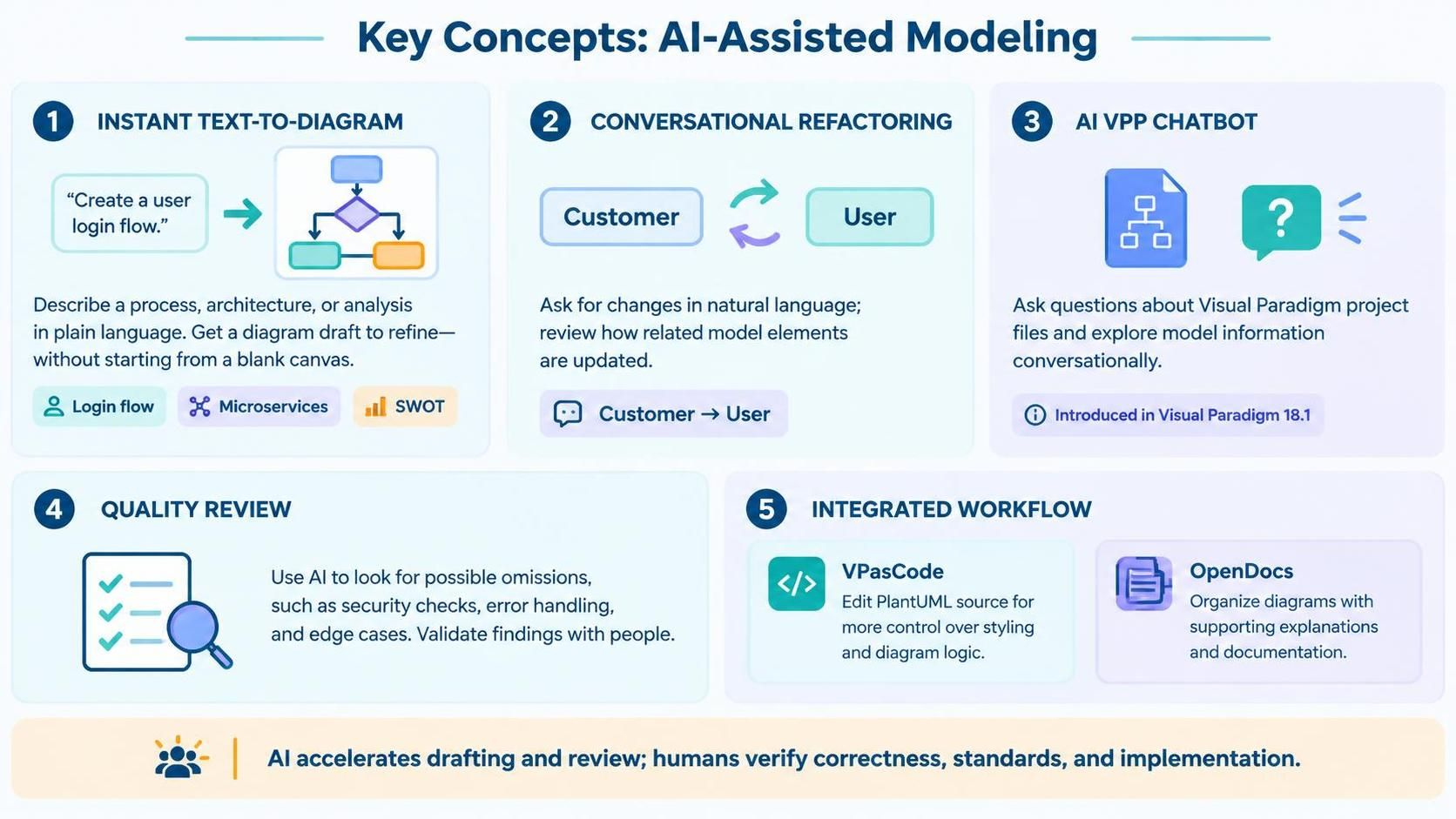
To maximize productivity, it is essential to understand how these tools work together. The workflow typically follows this pattern:
-
Ideation via AI Chatbot: Start by describing your business process or system architecture in plain English. The AI generates the initial BPMN or UML diagram.
-
Refinement via Conversation: Use natural language to tweak the diagram. Add alternative paths, rename elements, or translate content.
-
Precision Control via VPasCode: For specific styling needs or complex logical structures, switch to VPasCode to edit the underlying PlantUML script. This gives you programmatic control over the diagram’s appearance and structure.
-
Validation & Documentation: Ask the AI to review the model for quality issues. Once satisfied, use the OpenDocs pipeline to generate living documentation that exports to Markdown, PDF, or web formats.
-
Export & Integration: Export the final model to PNG, SVG, Mermaid, or Graphviz for use in other tools, or keep it within the Visual Paradigm Desktop/Online workspace for collaborative editing.
Diagram Examples using PlantUML
Below are examples of diagrams that can be generated and refined using the Visual Paradigm AI ecosystem. These PlantUML scripts represent the output that VPasCode can expose and manage.
Example 1: Simple User Authentication Flow (BPMN-style)
This example illustrates a basic login process, which can be generated by asking the AI: “Create a flowchart for user login including password validation and error handling.”
Rendered by VP VPasCode Tool for the UML Activity Diagram:
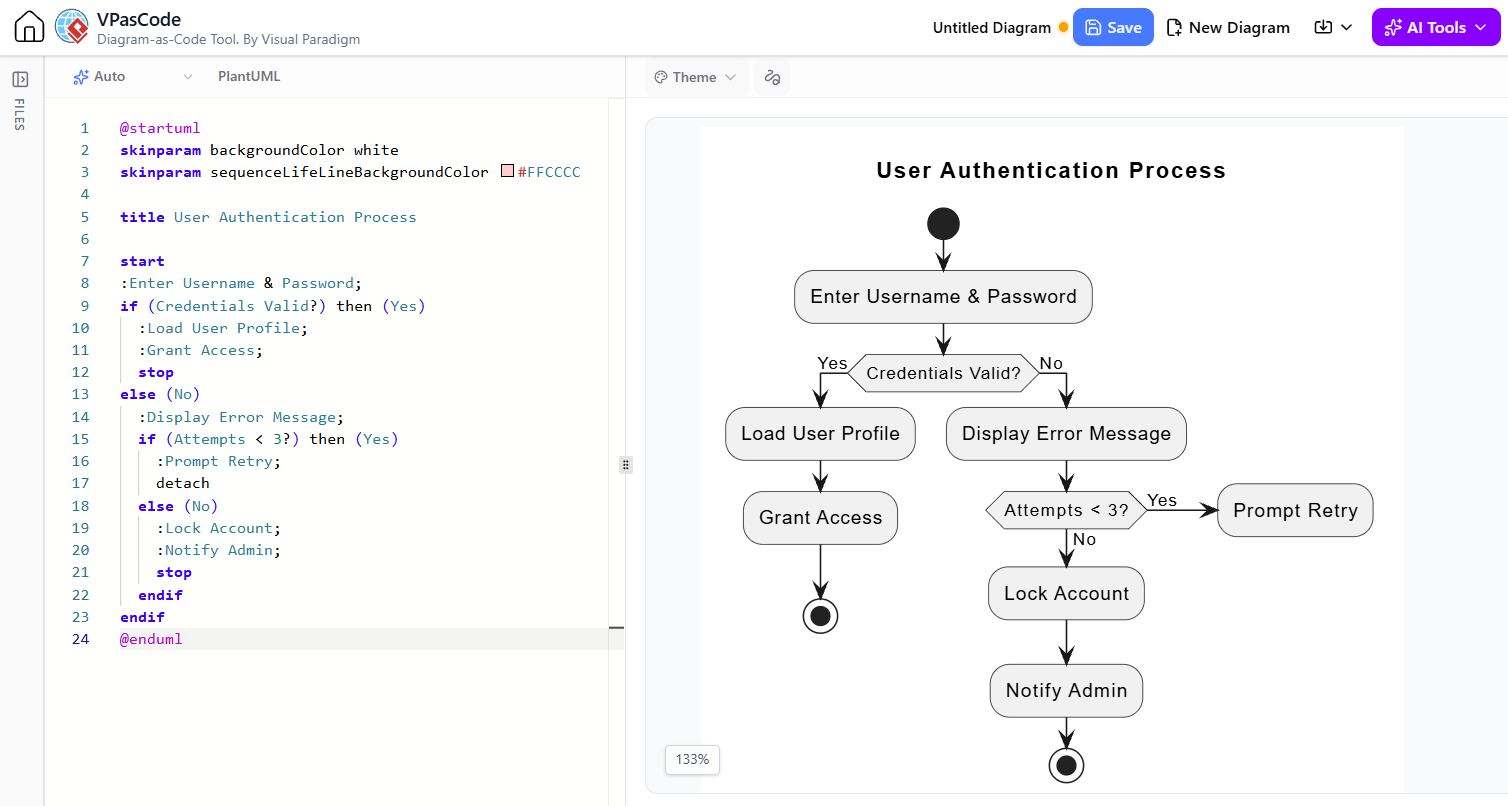
@startuml
skinparam backgroundColor white
skinparam sequenceLifeLineBackgroundColor #FFCCCC

title User Authentication Process

start
:Enter Username & Password;
if (Credentials Valid?) then (Yes)
  :Load User Profile;
  :Grant Access;
  stop
else (No)
  :Display Error Message;
  if (Attempts < 3?) then (Yes)
    :Prompt Retry;
    detach
  else (No)
    :Lock Account;
    :Notify Admin;
    stop
  endif
endif
@enduml
Example 2: Microservices Architecture (C4 Model Context)
This example shows a high-level system context, which can be generated by asking: “Draw a C4 context diagram for an e-commerce platform with Payment, Inventory, and Notification services.”
Rendered by VP VPasCode Tool for the UML Activity Diagram:
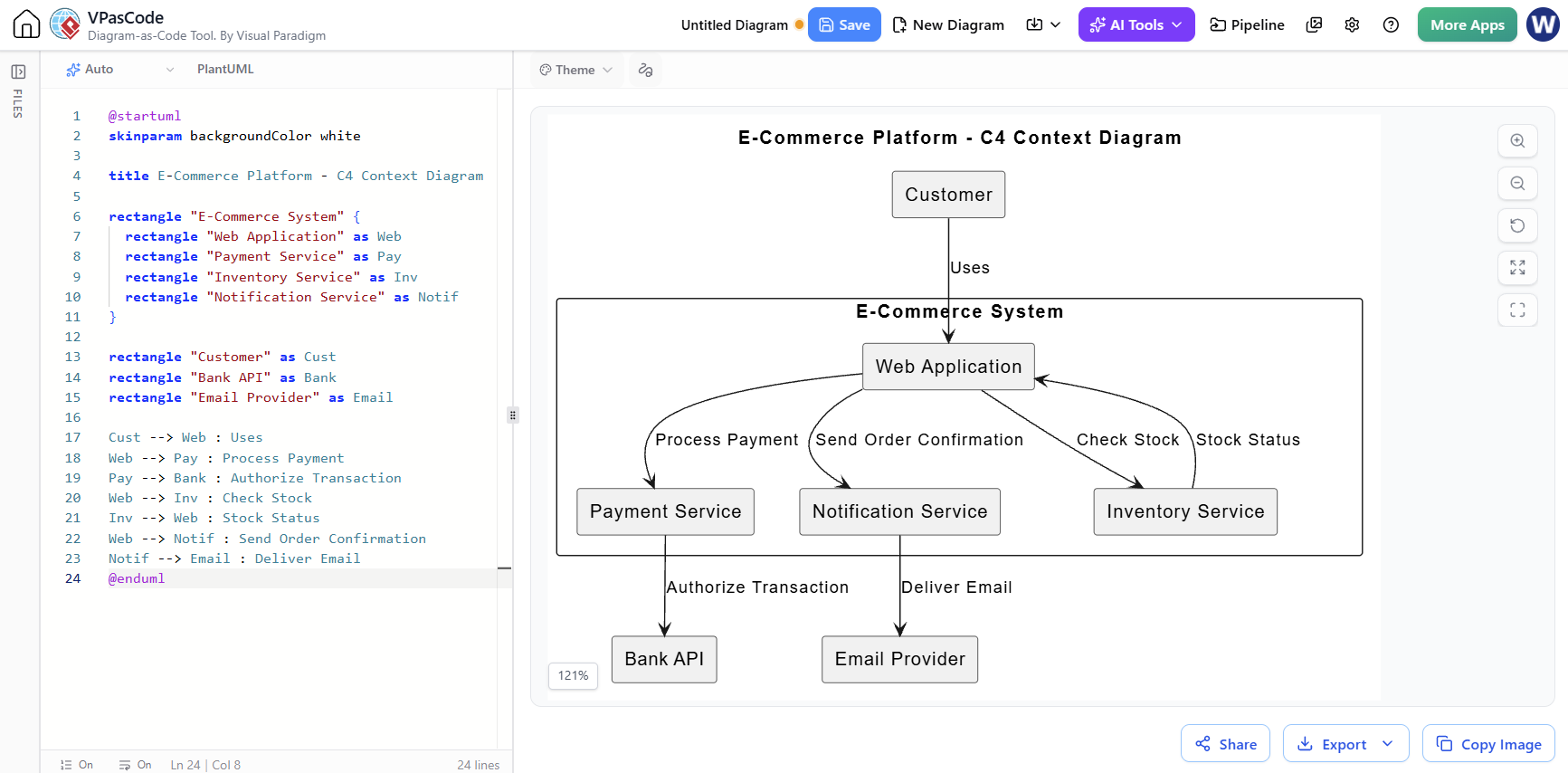
@startuml
skinparam backgroundColor white

title E-Commerce Platform - C4 Context Diagram

rectangle "E-Commerce System" {
  rectangle "Web Application" as Web
  rectangle "Payment Service" as Pay
  rectangle "Inventory Service" as Inv
  rectangle "Notification Service" as Notif
}

rectangle "Customer" as Cust
rectangle "Bank API" as Bank
rectangle "Email Provider" as Email

Cust --> Web : Uses
Web --> Pay : Process Payment
Pay --> Bank : Authorize Transaction
Web --> Inv : Check Stock
Inv --> Web : Stock Status
Web --> Notif : Send Order Confirmation
Notif --> Email : Deliver Email
@enduml
Example 3: Class Diagram with Cascading Updates
This example demonstrates a simple class structure. If you were to ask the AI to “Rename ‘Customer’ to ‘User’ and add an email attribute,” the AI would update the script accordingly.
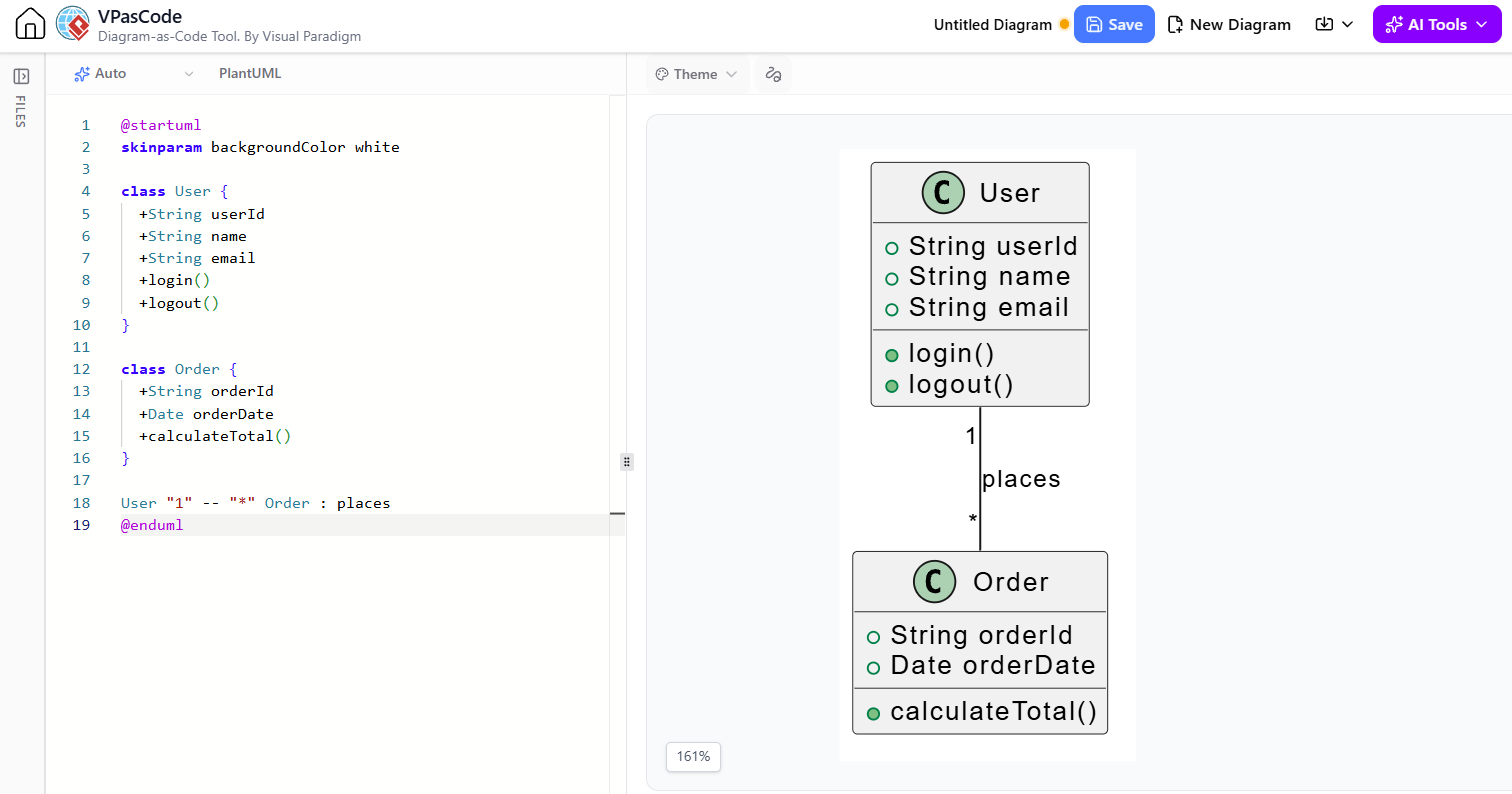
@startuml
skinparam backgroundColor white

class User {
  +String userId
  +String name
  +String email
  +login()
  +logout()
}

class Order {
  +String orderId
  +Date orderDate
  +calculateTotal()
}

User "1" -- "*" Order : places
@enduml
Supported Notations & Frameworks
The Visual Paradigm AI Chatbot is versatile, supporting a wide range of notations for both technical and business audiences:
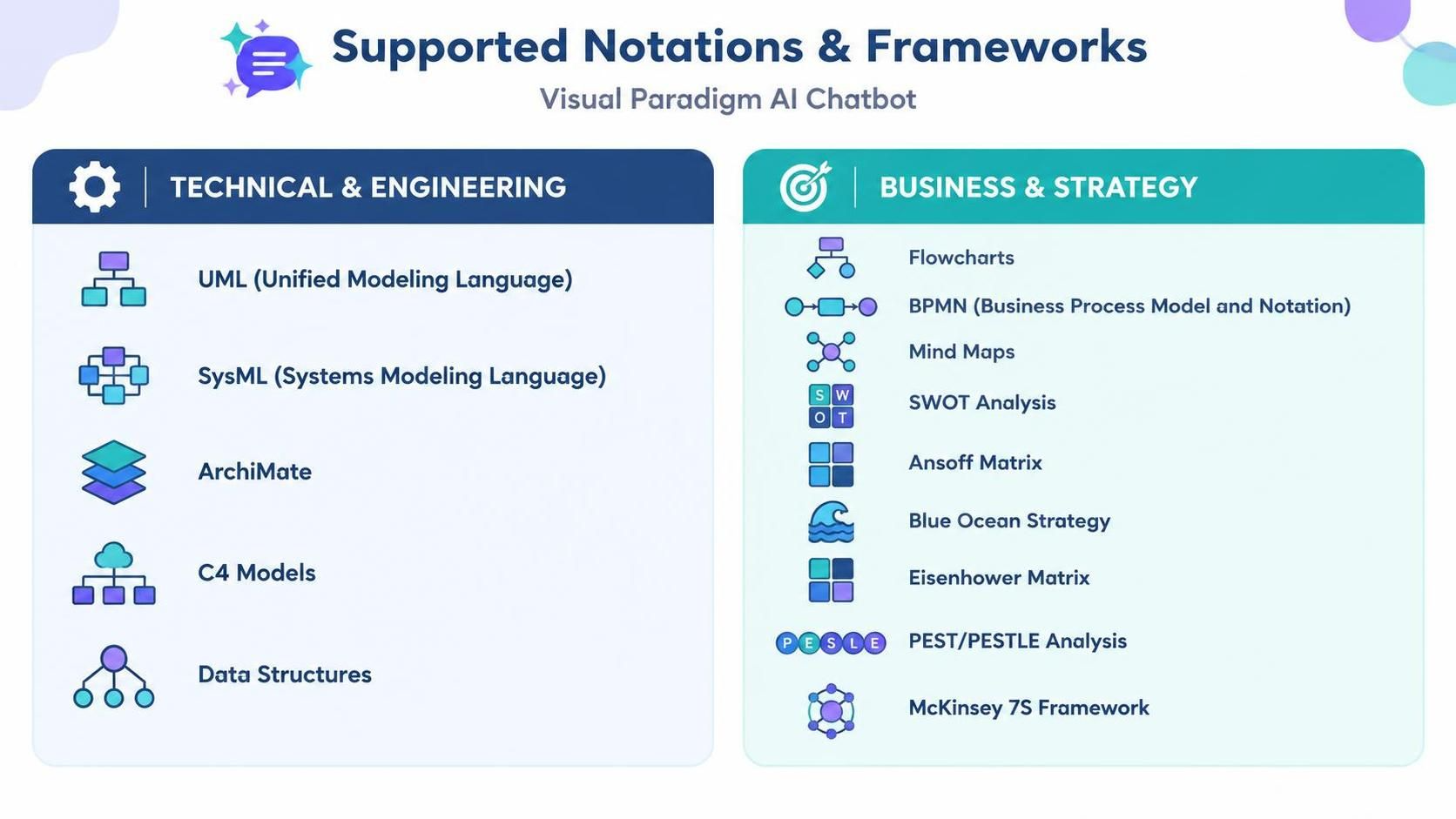
Technical & Engineering:
-
UML (Unified Modeling Language)
-
SysML (Systems Modeling Language)
-
ArchiMate
-
C4 Models
-
Data Structures
Business & Strategy:
-
Flowcharts
-
BPMN (Business Process Model and Notation)
-
Mind Maps
-
SWOT Analysis
-
Ansoff Matrix
-
Blue Ocean Strategy
-
Eisenhower Matrix
-
PEST/PESTLE Analysis
-
McKinsey 7S Framework
Recommended Resources
Here is a list of relevant articles and resources for further exploration of Visual Paradigm’s AI tooling:
-
Introducing AI VPP Chatbot: Conversational AI for Your Visual Paradigm Projects: Official release announcement detailing the deep conversational analysis capabilities for project files in VP 18.1.
-
Visual Paradigm AI Chatbot Features Overview: Comprehensive overview of core features including text-to-diagram generation, refactoring, and supported frameworks.
-
How the Visual Paradigm AI Chatbot and VPasCode Function as an Integrated Ecosystem: Technical guide explaining the synergy between natural language AI and code-based PlantUML control.
-
From Idea to Diagram in Seconds: Hands-on Review of Visual Paradigm’s AI Chatbot: Independent review highlighting practical use cases for team collaboration and rapid prototyping.
-
Visual Paradigm AI Tooling: A Step-by-Step Guide to the AI Chatbot, C4 Pipeline & OpenDocs Workflow: Detailed tutorial on integrating AI-generated diagrams with living documentation pipelines.
-
AI UML Diagram Chatbot Demo: Video demonstration showing real-time text-to-UML generation and conversational editing.
-
AI Quality Review for Flowcharts: Video showcase of the AI’s ability to validate models and suggest improvements for missing steps or edge cases.