
Mastering the Art of Process Visualization: From Chaos to Clarity with Visual Paradigm
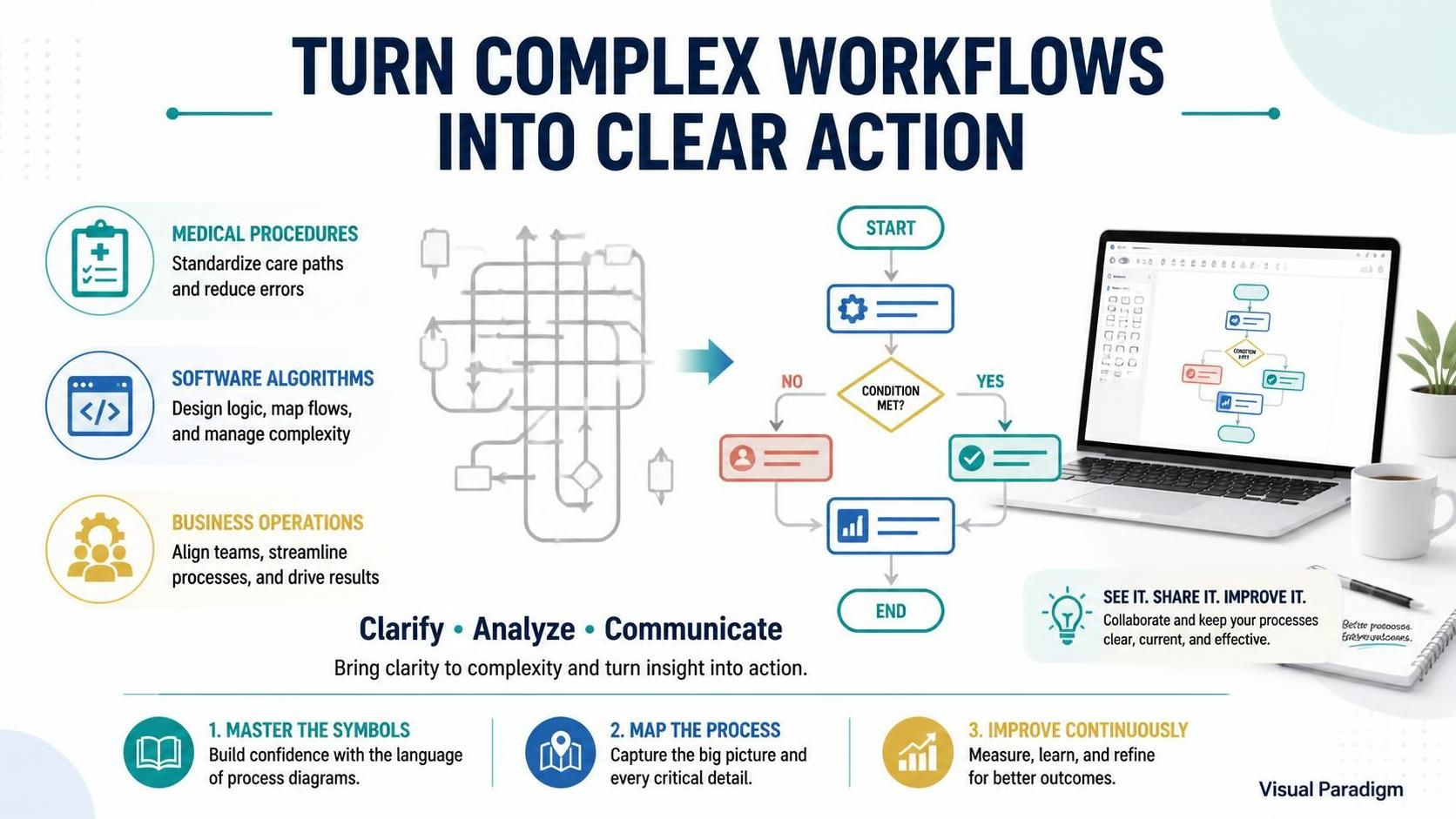
In the modern landscape of business and software development, complexity is the only constant. Whether you are a clinician mapping out a patient’s care pathway, a software engineer designing a complex algorithm, or a business analyst streamlining enterprise operations, the ability to visualize logic is paramount. This tutorial explores the transformative power of flowcharts and system diagrams, demonstrating how to turn tangled workflows into clear, actionable blueprints.
By mastering standard symbols and understanding their application, you can bridge the gap between abstract ideas and concrete execution. Let’s dive into the core concepts of process mapping and how tools like Visual Paradigm facilitate this critical workflow.
1. The Universal Language of Process Flow
At its core, a flowchart is a graphical representation of a process, system, or algorithm. It uses standardized symbols to denote specific actions, decisions, and the flow of information. This visual language allows teams to communicate complex ideas quickly without the ambiguity of lengthy text descriptions.
Key Application Domains
- Medical Procedures: In healthcare, precision is a matter of life and death. Flowcharts are used to standardize care paths, ensuring that every step of a treatment protocol is followed correctly to reduce errors and improve patient outcomes.
- Software Algorithms: For developers, logic is everything. Flowcharts allow you to design logic, map data flows, and manage complexity before writing a single line of code. They serve as a blueprint for debugging and optimization.
- Business Operations: In the corporate world, efficiency drives profit. By mapping business processes, organizations can align teams, identify bottlenecks, and streamline operations to drive tangible results.
2. The Anatomy of a Perfect Flowchart
To create effective diagrams, you must first understand the building blocks. Every flowchart relies on a specific set of geometric shapes, each carrying a distinct meaning.
- The Terminator (Start/End): Usually represented by rounded rectangles. This defines the entry and exit points of the process. Without these, the flow has no context.
- The Process: A rectangle representing a specific action or operation. This is the “work” being done.
- The Decision: A diamond shape. This is the most critical element for logic flow. It represents a question with a “Yes/No” or “True/False” outcome, branching the process into different paths.
- The Connector/Flow Line: Arrows that dictate the direction of the process. They ensure the logic moves sequentially from one step to the next.
3. Step-by-Step: Mapping Your First Workflow
Let’s walk through the process of transforming a messy workflow into a structured diagram. Imagine we are designing a logic flow for a user authentication system.
Step 1: Define the Start and End Points
Always begin by anchoring your diagram. Where does the user interaction begin? Usually at a “Login Attempt.” Where does it end? Either at a “Access Granted” or “Access Denied” state.
Step 2: Identify the Critical Decisions
In our example, the central logic is: “Are credentials valid?” This is your Decision Diamond. It will split the path into two distinct scenarios: YES (Proceed to dashboard) and NO (Show error message).
Step 3: Draft the Logic Flow
Using a tool like Visual Paradigm, you can drag and drop these elements to construct your diagram. The software automatically handles the alignment and connecting lines, allowing you to focus purely on the logic rather than the aesthetics.
@startuml
title User Authentication Logic

start
:User enters credentials;
if (Credentials Valid?) then (yes)
  :Authenticate User;
  :Redirect to Dashboard;
else (no)
  :Display Error Message;
  :Log Failed Attempt;
endif
stop
@enduml
4. Leveraging Modern Tooling: Visual Paradigm
While you can draw flowcharts on paper, modern workflows require dynamic, reusable, and collaborative tools. This is where Visual Paradigm becomes indispensable. It transforms diagramming from a static documentation task into a seamless part of your engineering and business lifecycle.
With Visual Paradigm, you aren’t just drawing boxes; you are creating living models. The platform offers:
- Auto-Layout: Algorithms that instantly organize your nodes for maximum readability.
- Reverse Engineering: Convert existing code directly into flowcharts to understand legacy systems.
- Collaboration: Real-time sharing capabilities that allow teams to “See It. Share It. Improve It.”
5. The Path to Continuous Improvement
The ultimate goal of mapping a process is not just documentation—it is improvement. By visualizing the “As-Is” process, you can identify redundancies, bottlenecks, and unnecessary loops. Once analyzed, you can design the “To-Be” process, effectively streamlining operations.
Whether you are clarifying a medical procedure, analyzing a software algorithm, or optimizing business operations, flowcharts provide the structure needed for effective collaboration. Start mapping your processes today, and unlock greater clarity, efficiency, and success in your projects.