Sequence diagrams are a cornerstone of system design, providing a clear visual representation of interactions between objects over time. They help developers, architects, and stakeholders understand the flow of messages and the timing of operations. However, creating accurate and readable diagrams requires precision. Many professionals inadvertently introduce confusion by making common errors that obscure the actual logic of the system. This guide details the specific pitfalls to avoid when constructing these diagrams, ensuring your documentation remains a reliable source of truth for your team. 🛠️
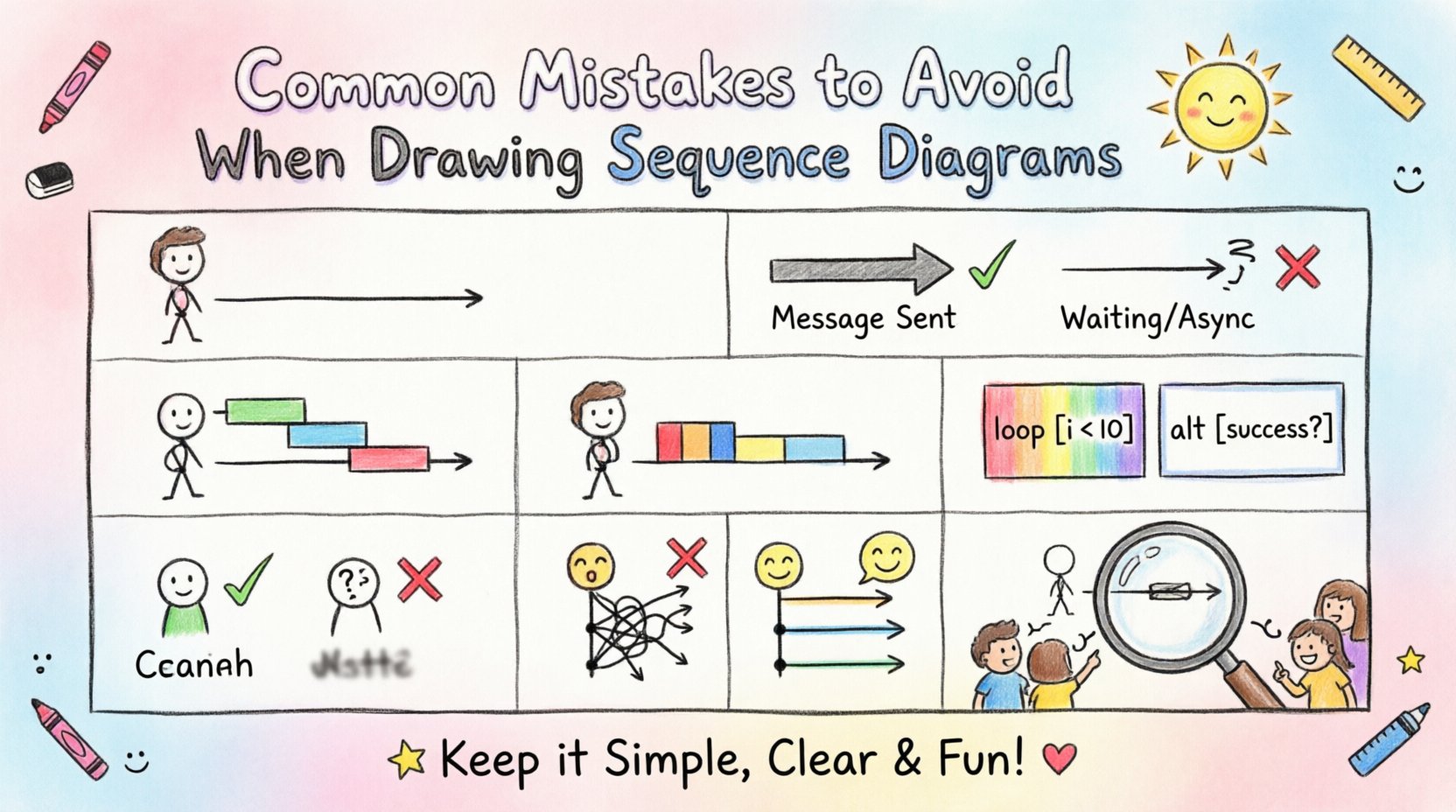
1. Lifeline Errors: Start, End, and Scope 🏁
The lifeline represents the existence of a participant in the interaction. Incorrectly defining its boundaries is one of the most frequent mistakes. A lifeline should clearly indicate when an object is created and when it ceases to exist or is no longer relevant to the scenario.
- Starting Too Early: Do not begin a lifeline before the object is instantiated. If the diagram starts with the lifeline, it implies the object exists from the beginning of the timeline, which might be false.
- Ending Too Late: Avoid extending a lifeline indefinitely. If an object is destroyed or goes out of scope, the lifeline should end. Extending it creates ambiguity about whether the object is still active.
- Missing Lifelines: Ensure every participant involved in the interaction has a corresponding vertical line. Missing participants can lead to confusion about where a message originates or terminates.
- Incorrect Placement: Place lifelines logically. Group related objects together to reduce visual clutter and make the flow easier to follow.
When lifelines are misaligned, it becomes difficult to trace the path of a request. For instance, if a lifeline starts before the creation message, readers may assume the object was pre-existing, leading to incorrect assumptions about initialization costs or state management.
2. Message Flow Confusion: Sync vs. Async 📬
The arrow type used for messages conveys critical information about how the sender handles the response. Mixing these up fundamentally changes the behavior of the system being described.
- Synchronous Messages: These are represented by a solid line with a filled arrowhead. The sender waits for the receiver to process the message and return a response before continuing. Avoid using this for fire-and-forget scenarios.
- Asynchronous Messages: These use a solid line with an open arrowhead. The sender does not wait for a response. Using a synchronous arrow here implies a blocking operation that does not exist in reality.
- Return Messages: These are often dashed lines with open arrowheads. A common mistake is omitting return messages entirely, making the diagram look like a one-way street. While optional in some notations, including them clarifies the response flow.
- Signal Messages: Use these when the sender sends a signal and does not expect a return. Confusing signals with synchronous messages can mislead developers about system responsiveness.
Clarity in message types is essential for understanding concurrency and blocking behavior. If a developer sees a synchronous arrow where an asynchronous one should be, they might implement a blocking call that degrades performance.
3. Activation Bar Misuse: Overloading the Timeline ⏳
Activation bars (thin rectangles on lifelines) indicate when an object is actively performing an operation. Overusing or misusing these bars can clutter the diagram and hide the actual flow.
- Unnecessary Activation: Do not draw activation bars for passive data objects that simply store information. Activation implies behavior, not storage.
- Incorrect Duration: The bar should start when the message is received and end when the message is returned. Extending the bar beyond this duration suggests the object is busy longer than it actually is.
- Missing Activation: If an object performs internal processing, an activation bar should reflect this. Omitting it makes the object look passive when it is actually computing something.
- Overlapping Bars: Ensure activation bars do not overlap in a way that suggests simultaneous processing unless that is the intended design. Overlapping can imply concurrency issues.
Proper use of activation bars helps stakeholders understand where the system spends time. If a bar is too long, it might indicate a performance bottleneck that needs optimization.
4. Fragment and Interaction Use Cases 🔄
Interactions like alt, opt, and loop allow you to show alternative paths. However, nesting them too deeply or using them incorrectly can make the diagram unreadable.
- Excessive Nesting: Avoid nesting fragments more than two levels deep. Deep nesting creates a “spaghetti code” visual effect that is hard to parse.
- Missing Conditions: Always specify the condition for an opt or alt fragment. A fragment without a condition is ambiguous.
- Incorrect Loop Syntax: Ensure loop conditions are clear. A loop without a termination condition implies an infinite loop, which is rarely the intended behavior.
- Scope Confusion: Keep the scope of the fragment tight. Do not include unrelated messages inside a fragment unless they are directly part of that alternative path.
When fragments are managed well, the diagram clearly shows the decision points in the system. When mismanaged, the logic becomes obscured, and the diagram fails to communicate the branching requirements.
5. Layout and Readability Issues 📐
A diagram is a visual tool. If it is hard to read, it fails its purpose. Layout mistakes are often unintentional but have a significant impact on comprehension.
- Crossing Lines: Minimize the number of message lines that cross each other. Crossing lines create visual noise and make it difficult to trace the path of a specific message.
- Vertical Spacing: Ensure consistent spacing between messages. Irregular spacing can make the timeline look disjointed.
- Message Labeling: Label every message clearly. Avoid generic labels like “process” without context. Use specific method names or action descriptions.
- Horizontal Overflow: If the diagram is too wide, it may need to be split into multiple diagrams. Do not squish elements together to fit a single page.
- Consistent Direction: Messages should generally flow from left to right in terms of logical progression, even if the lifelines are arranged differently.
6. Naming Conventions and Clarity 🏷️
The text used in the diagram must be consistent and meaningful. Inconsistent naming leads to confusion about what objects and methods represent.
- Class vs. Instance: Distinguish between class names and instance names. Class names should be capitalized, while instances can be lowercase or prefixed.
- Method Naming: Use standard naming conventions for methods. Avoid abbreviations unless they are universally understood within the team.
- Participant Names: Name participants based on their role. Instead of “Object1,” use “UserSession” or “OrderProcessor” to provide context.
- State References: If referencing a state, ensure the state name is accurate. Incorrect state names can imply the system is in a state it is not.
7. Common Errors vs. Best Practices Table 📋
Refer to this table to quickly identify and correct common errors in your sequence diagrams.
| Mistake | Impact | Correction |
|---|---|---|
| Lifeline starts before creation | Implies pre-existing state | Start lifeline at creation message |
| Using solid arrows for async calls | Implies blocking behavior | Use open arrowheads for async |
| Missing return messages | Obscures response flow | Add dashed return lines |
| Nested fragments > 2 levels | Visual complexity | Split into separate diagrams |
| Crossing message lines | Hard to trace paths | Rearrange lifelines |
| Generic labels like “process” | Lack of context | Use specific method names |
| Inconsistent naming | Confusion about identity | Adopt standard naming conventions |
| Activation bars on passive objects | Implies unnecessary work | Remove activation bars |
8. Context and Preconditions 🌐
A sequence diagram should not exist in a vacuum. It relies on the context of the system state before the interaction begins. Ignoring preconditions is a common oversight.
- Missing State: If a message requires a specific state (e.g., “User must be logged in”), indicate this. Without it, the diagram implies the message can be sent at any time.
- External Dependencies: Acknowledge external systems. If a message goes to a third-party API, label it clearly to distinguish internal from external logic.
- Error Handling: Include error paths. A diagram showing only the happy path is incomplete. Show what happens when a message fails.
- Timeouts: If a message has a timeout, indicate it. This helps developers understand the expected duration of the interaction.
9. Complexity Management 🧩
As systems grow, sequence diagrams can become overwhelmingly complex. Managing this complexity is key to maintaining useful documentation.
- Abstraction: Use abstraction for complex sub-processes. Instead of detailing every step, call out a sub-diagram reference.
- Modularization: Break large diagrams into smaller, focused interactions. One diagram per major use case is better than one diagram for the entire system.
- Reference Points: Use references to other diagrams to avoid repetition. If a sequence is used in multiple places, define it once and reference it.
- Focus on Flow: Focus on the flow of control. Do not include every single variable assignment or internal state change unless it is critical to the interaction.
10. Review and Validation 🧐
Before finalizing a diagram, it must be reviewed. Validation ensures the diagram matches the actual system design and requirements.
- Peer Review: Have a colleague review the diagram. Fresh eyes often spot errors that the creator misses.
- Walkthrough: Walk through the diagram step-by-step with the team. Ensure everyone agrees on the logic.
- Requirement Mapping: Map the diagram to functional requirements. Ensure every requirement is represented in the flow.
- Version Control: Treat diagrams as code. Store them in version control to track changes over time.
- Feedback Loop: Encourage feedback from developers who implement the system. They can point out technical constraints not visible in the design.
11. Documentation Hygiene 🧹
Maintaining the quality of sequence diagrams requires ongoing effort. Hygiene practices ensure the diagrams remain relevant as the system evolves.
- Regular Updates: Update diagrams when the system changes. Outdated diagrams are worse than no diagrams at all.
- Consistency: Maintain consistent notation across all diagrams. Do not switch notations between projects or teams.
- Metadata: Include metadata such as date, author, and version number. This helps with tracking and accountability.
- Accessibility: Ensure diagrams are accessible to all team members. Avoid proprietary formats that prevent collaboration.
- Clarity over Detail: Prioritize clarity. If a detail is not necessary for understanding the flow, omit it.
12. Communication and Stakeholder Alignment 🤝
Sequence diagrams are communication tools. They bridge the gap between technical and non-technical stakeholders. Misalignment can occur if the diagram is too technical or too vague.
- Audience Awareness: Tailor the level of detail to the audience. Developers need method names; managers need business flows.
- Annotations: Use annotations to explain complex logic. Text boxes can provide context without cluttering the flow.
- Visual Hierarchy: Use visual hierarchy to emphasize important parts. Bold text or larger fonts can draw attention to critical steps.
- Storytelling: Treat the diagram as a story. It should have a beginning, middle, and end that makes logical sense.
- Collaborative Editing: Allow collaborative editing when possible. This ensures multiple perspectives are incorporated into the design.
13. Timing and Performance Considerations ⏱️
While sequence diagrams are primarily about logic, they can also convey timing information. Misrepresenting timing can lead to performance issues.
- Implicit Delays: Do not rely on vertical spacing to imply time delays. Use explicit notes if timing is critical.
- Parallel Processing: Use parallel combined fragments to show concurrent operations. This clarifies where time can be saved.
- Blocking vs. Non-Blocking: Clearly distinguish between blocking and non-blocking operations to manage expectations.
- Resource Contention: Indicate if multiple messages compete for the same resource. This highlights potential bottlenecks.
- Latency: If latency is a concern, note it in the message labels. This helps in planning for network delays.
14. Tool Agnostic Principles 🛠️
The principles of good sequence diagramming apply regardless of the tool used. Focus on the content, not the software.
- Standards Compliance: Adhere to standard UML notation. This ensures interoperability and understanding across different tools.
- Exportability: Choose formats that allow easy export to images or PDFs for documentation.
- Collaboration Features: Utilize features that support team collaboration, such as comments or versioning.
- Integration: Ensure the diagrams can be integrated with other documentation systems. This creates a unified knowledge base.
- Learning Curve: Avoid tools that require excessive training. The diagram should be easy to create and maintain.
15. Future Proofing and Scalability 🚀
Design diagrams with the future in mind. As systems evolve, the diagrams should be able to adapt without requiring a complete rewrite.
- Modular Design: Design diagrams to be modular. This makes it easier to update specific parts without affecting the whole.
- Extensibility: Ensure the notation supports extensibility. New types of messages or interactions should be easily representable.
- Documentation Strategy: Develop a strategy for managing diagrams. Know when to create new diagrams and when to update existing ones.
- Training: Train team members on diagramming standards. Consistency comes from shared knowledge.
- Review Cycles: Establish review cycles for diagrams. Regular reviews ensure they remain accurate and useful.